

Role
Product Design, Data Visualization Specialist
Focus
Data Viz, UI/UX, Design System
Team
PM, Data Engineers, Scientists, Frontend Dev
Duration
12 Months
01 / Discovery
Personas

Brand & Communications Teams
Corporate comms, and marketing teams who need to track, manage, and benchmark brand trust.

Insights & Strategy Teams
Researchers and analysts within client organizations who mine the data to guide business, reputation, and policy decisions.
Challenges

Raw datasets were rich but difficult for clients to interpret. DxI needed visualizations that could translate quantitative outputs into actionable insights.
Existing dashboards were static and limited in functionality and visually inconsistent with Edelman’s branding. The platform required visual uplift and interactive features that allowed clients to explore the data themselves.
02 / Define
Start with Data
Whenever I work on a data visualization project, I start by examining the nature of the data—its metadata, format, dimensions, and relationships.
Trust Net Score
NTS is calculated as the percentage of people who say they trust a brand minus the percentage who say they distrust it, and is further broken down across the four pillars: Ability, Dependability, Integrity and Purpose (five pillars at the time of this case study).
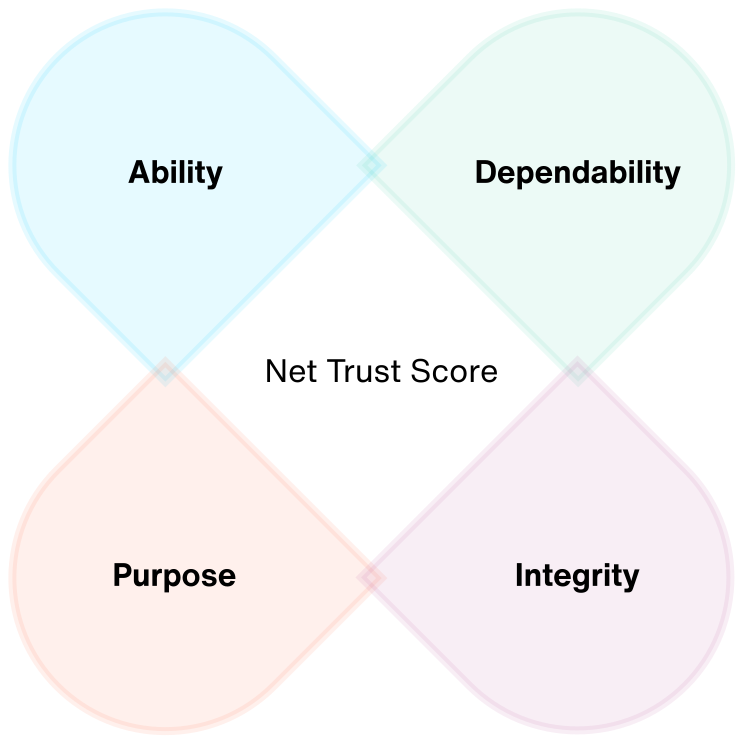
These pillars provide insights into different dimensions of how trustworthy a company is perceived by the public, helping users understand which areas are driving or detracting from overall trust.
Ability
The perception that an organization is skilled and proficient at its core functions and responsibilities.
Dependability
The expectation that an organization will consistently act with integrity and keep its commitments to stakeholders.
Integrity
The conviction that an institution is honest and morally upright in its dealings and communication.
Purpose
The sentiment that an organization is actively striving to have a positive impact on society and contribute to its well-being.
03 / Develop
Design System
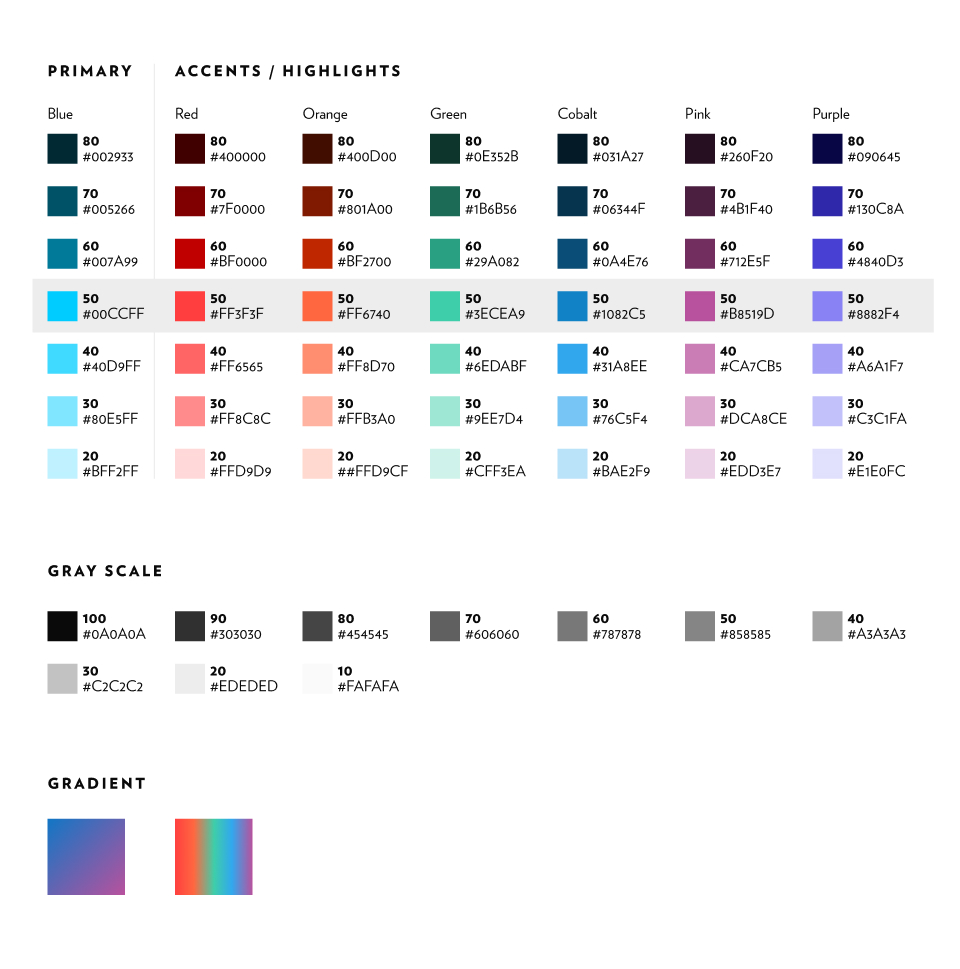
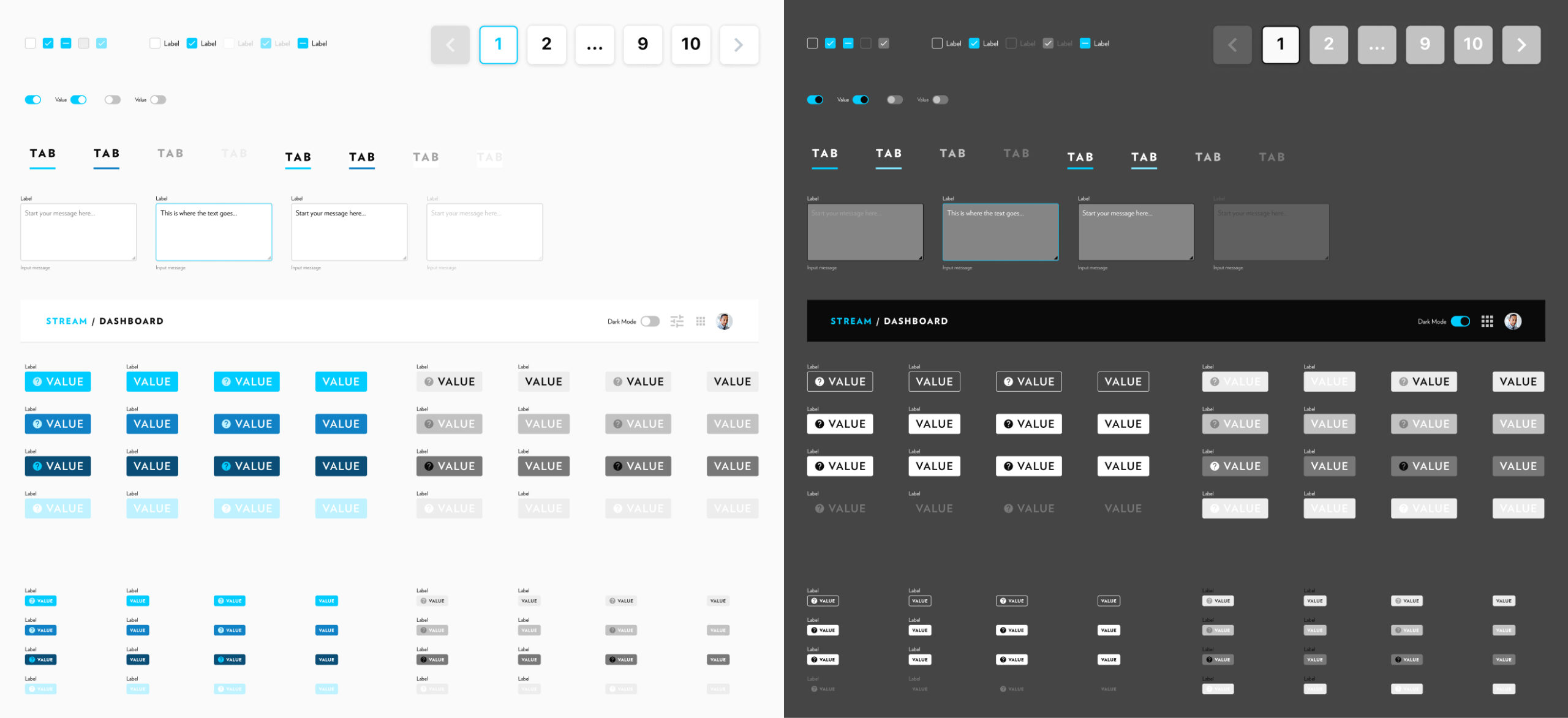
Since these products are part of DxI, they urgently needed a visual overhaul to align with their established branding, from logo, to colors to typography.
Colors
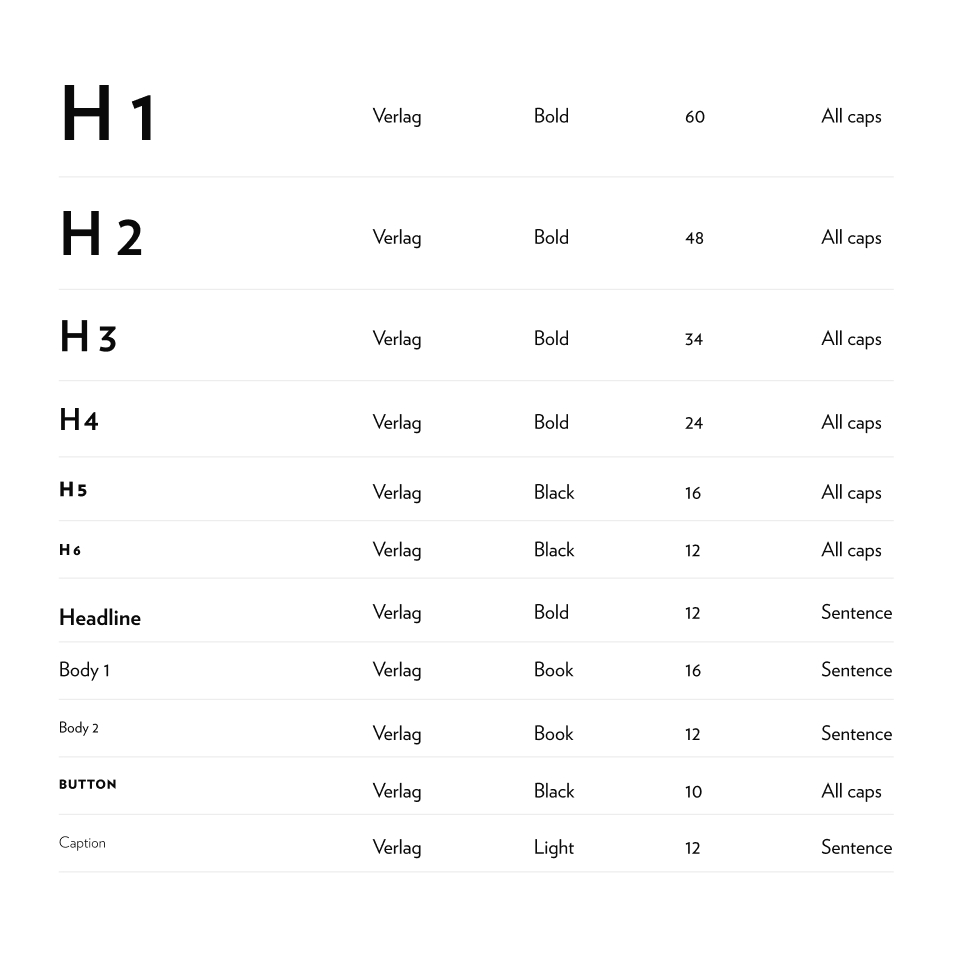
Typography
04 / Delivered Feature
Performance
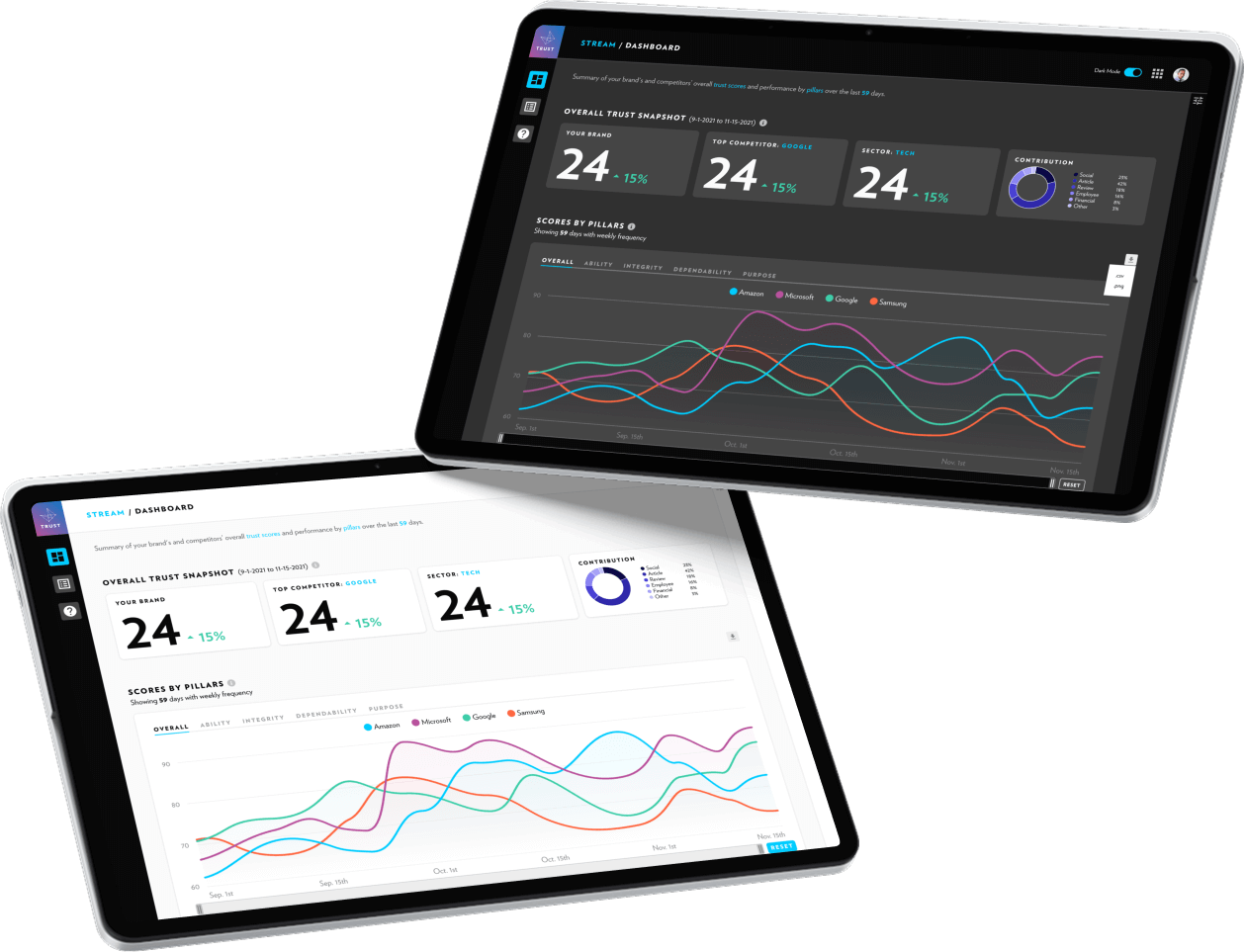
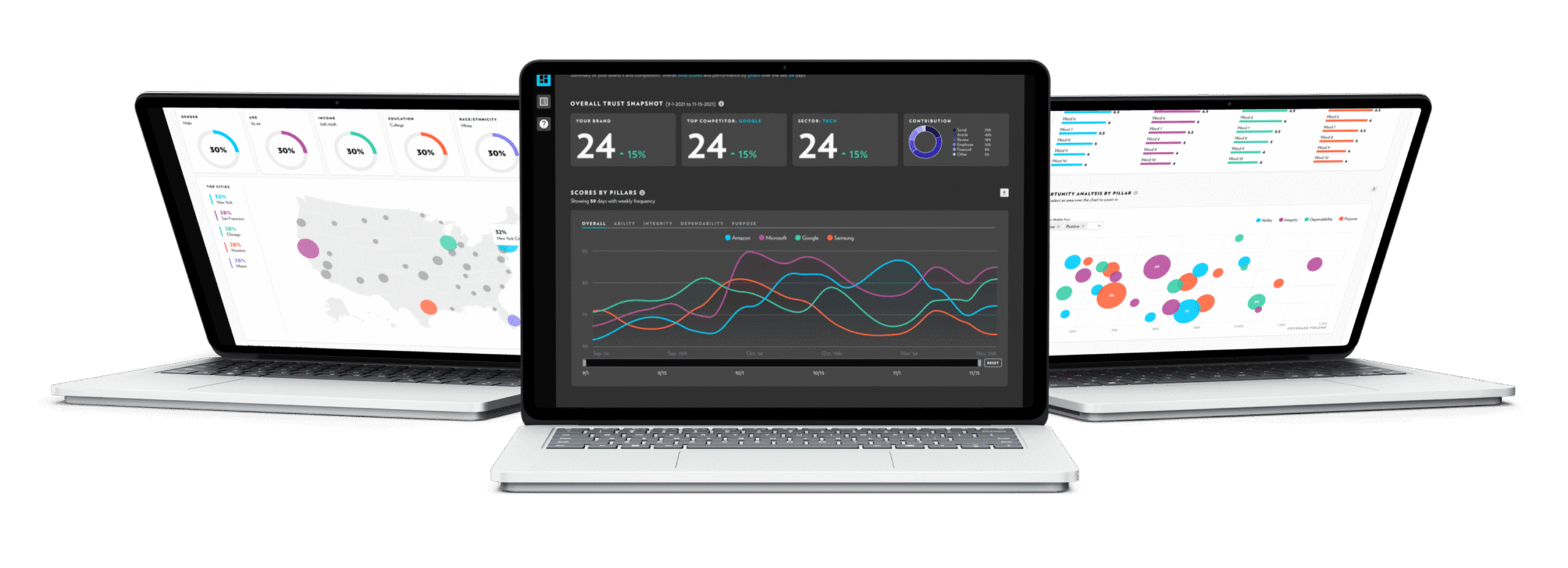
The Performance gives users a clear snapshot of their brand’s trust score performance. By overlaying competitors, users can benchmark results, highlight strengths, and pinpoint areas for improvement.
1. Scores by Pillar
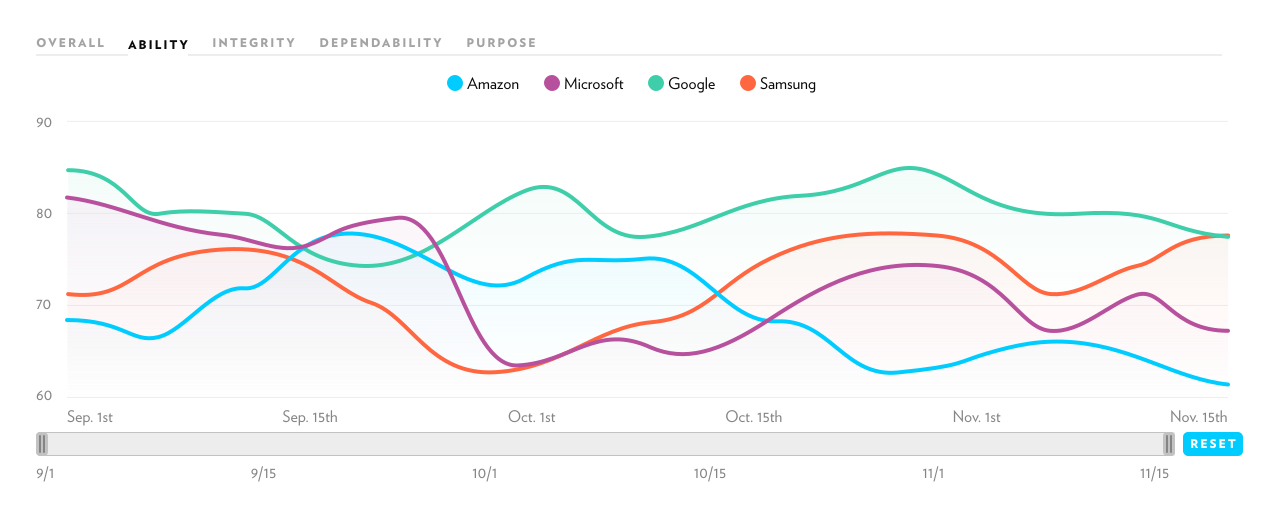
Time-based line charts are used to highlight how trust scores evolve over time, since line charts clearly communicate trends and trajectories.

The tooltip appears on hover, provides the actual number.
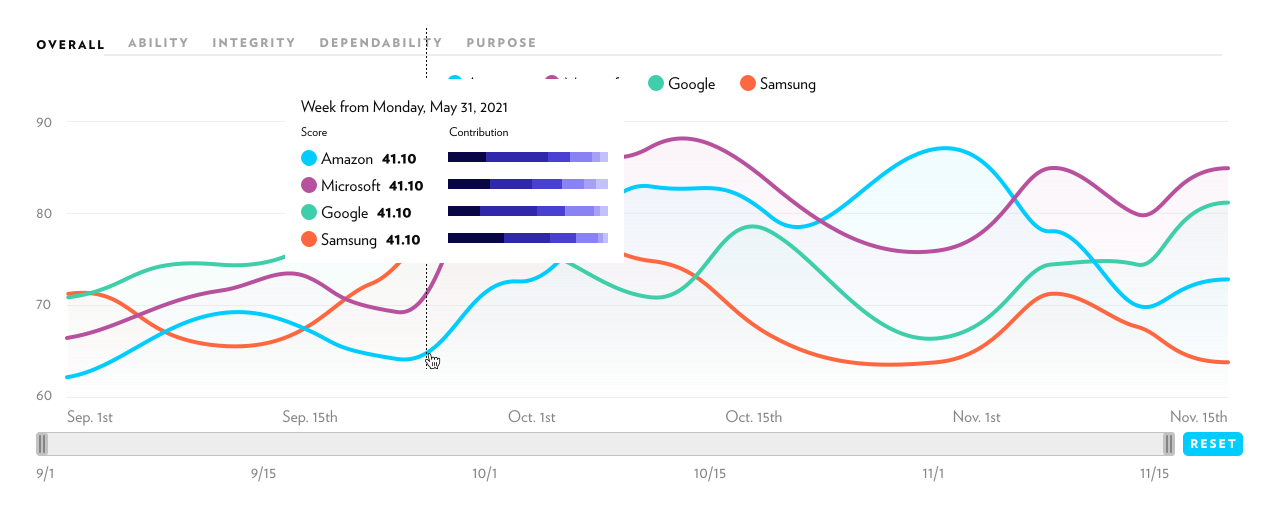
Users can toggle between the pillars through tabs at the top, since it’s rare to need multiple pillars at once. This approach is both space-efficient and more focused than showing five separate charts, while still allowing users to explore each dimension in detail.
2. Benchmarking
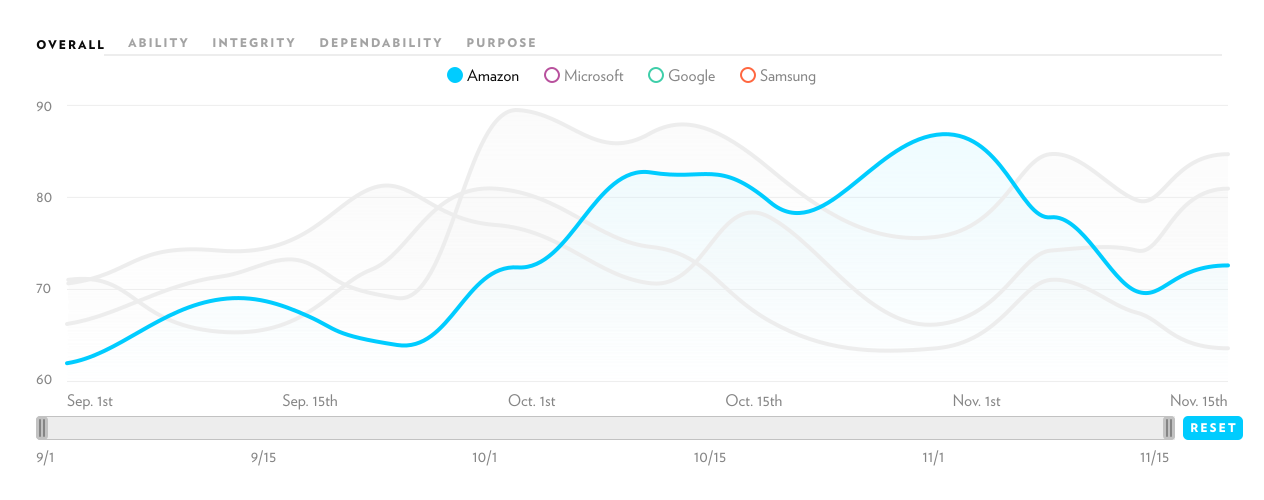
Each selected brand is color-coded, making comparisons intuitive while keeping the visualization clear. Users can toggle lines on or off to reduce clutter and focus on what matters, striking a balance between clarity and interactivity.
3. Scores by Brands
By optimizing space, I suggested pivoting the data to tell the story from a different angle—comparing all pillars side by side with a focus on brand.
This approach enables users to easily spot trends and relationships across pillars, making it simpler to identify correlations, outliers, and shifts in trust dynamics over time.
4. Summary
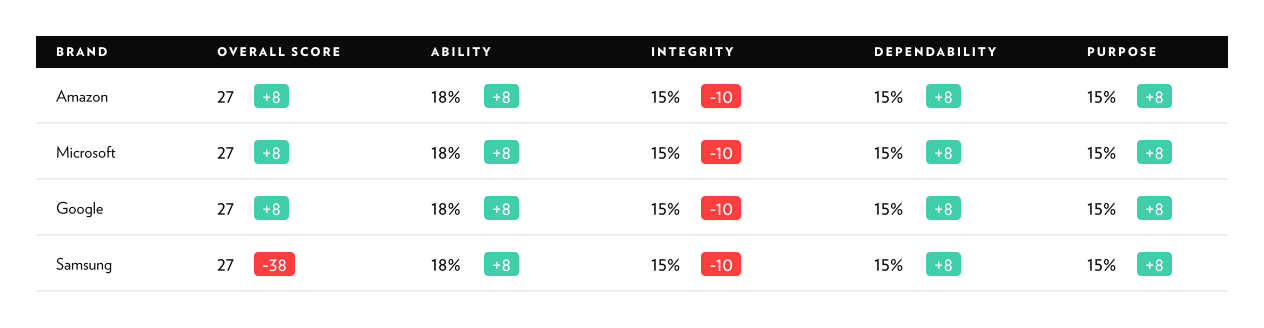
The page ends with a table as a summary to show the net performance in both dimensions—brands and pillars.
04 / Delivered Feature
Activity
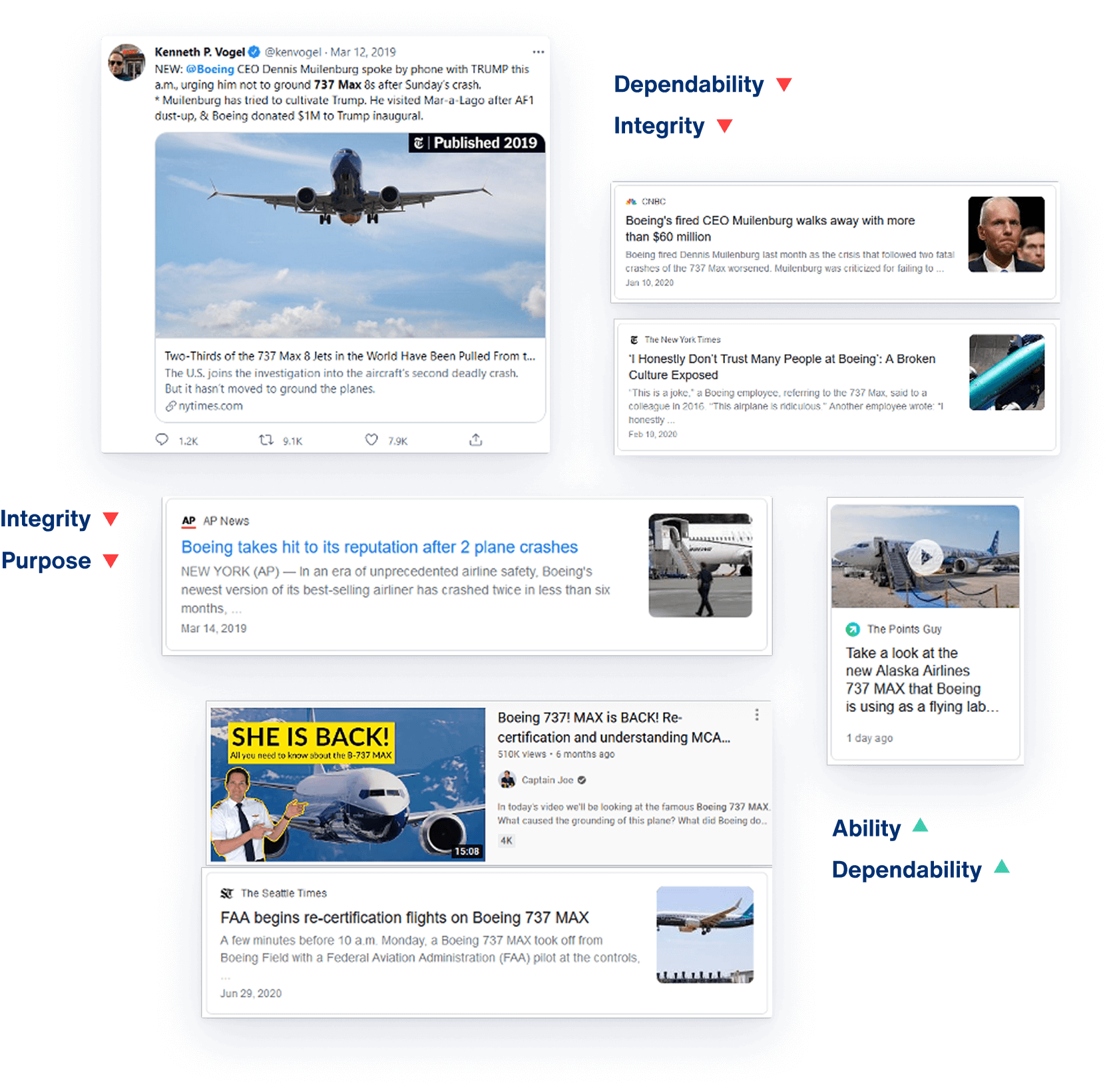
This Activity tab allows analysts and researchers to mine the data for insights and evaluate how different media placements and content types influence specific trust pillars.
1. Scores by Content
A histogram was chosen because it effectively illustrates frequency distributions. In this case, it shows how often different levels of trust appear across publications, helping users understand the spread and concentration of trust scores.
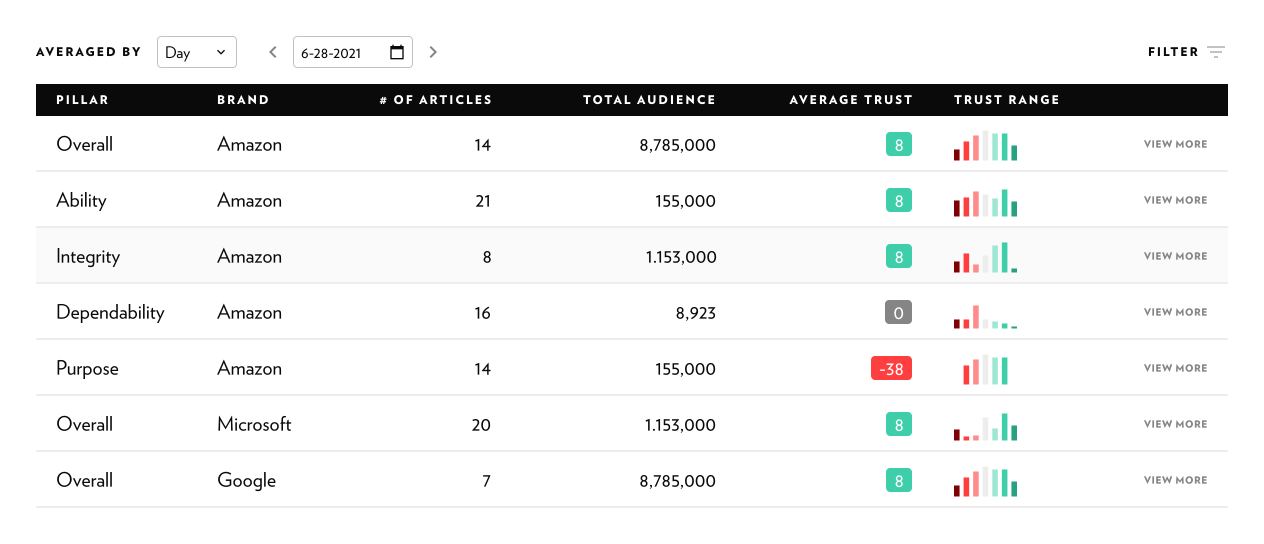
Clicking the “View More” button opens a secondary page with a detailed list of articles influencing the brand within a specific pillar, allowing users to dive deeper into the content and uncover the stories driving shifts in trust.
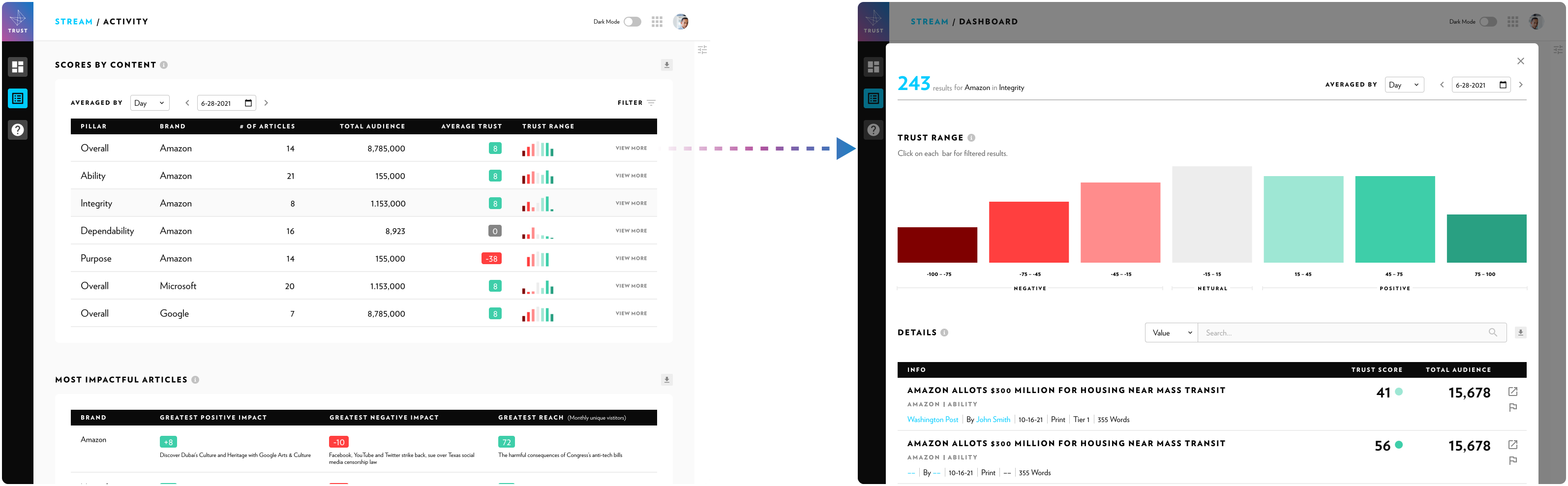
2. Detail View
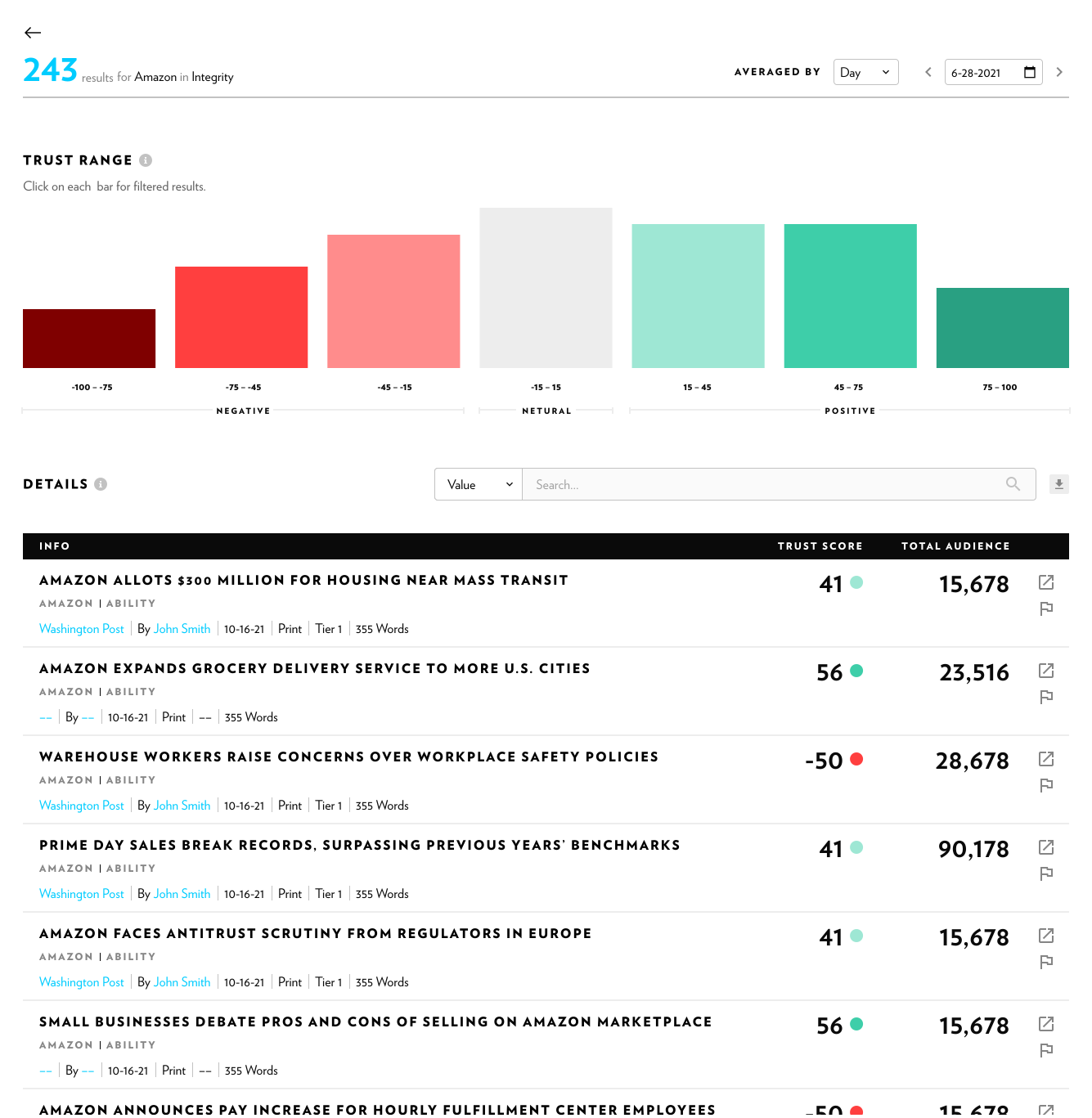
In detail view, I designed an enhanced version of the histogram to serve multiple purposes.
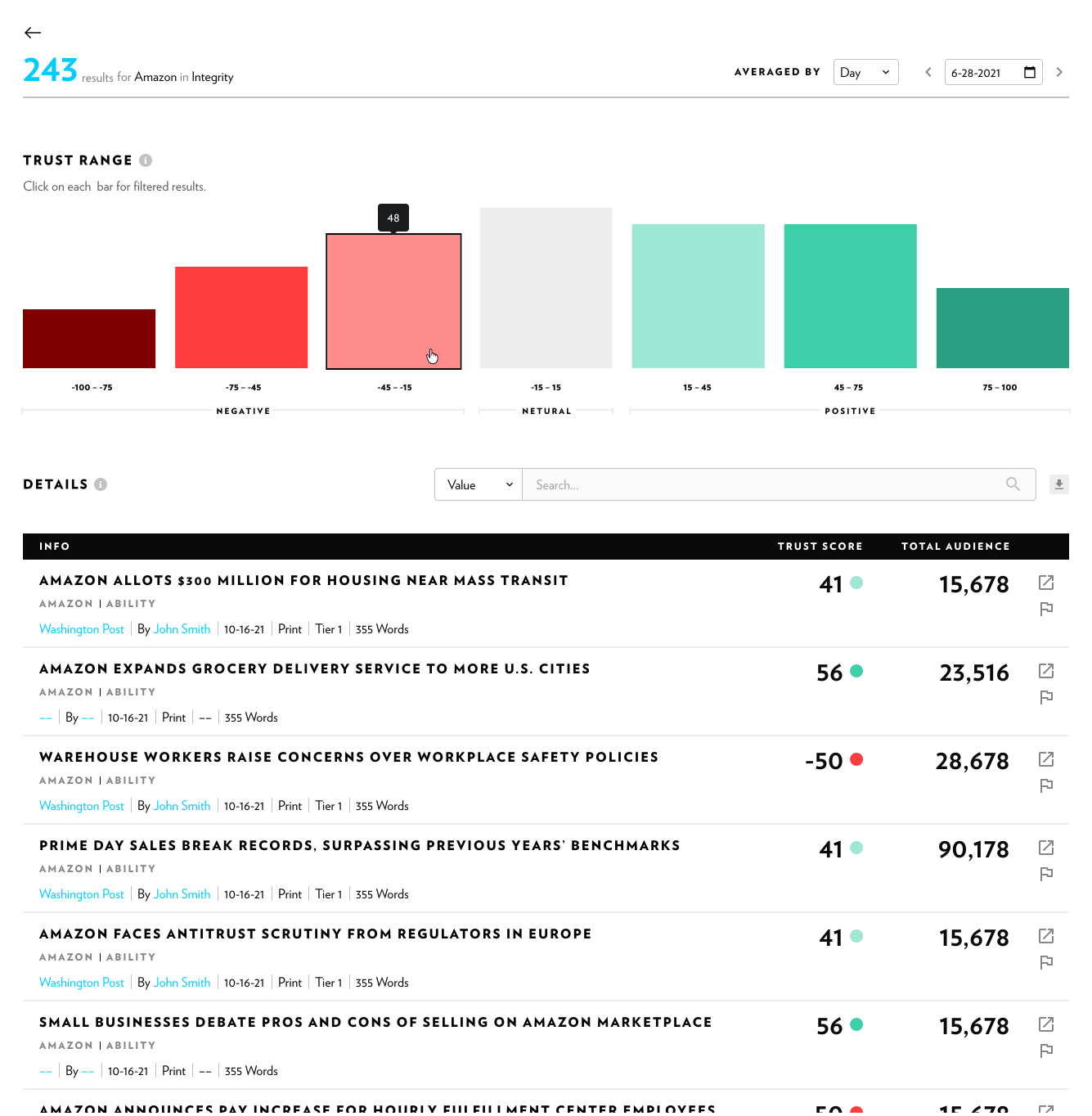
On hover, it reveals the exact number of articles in each bin.
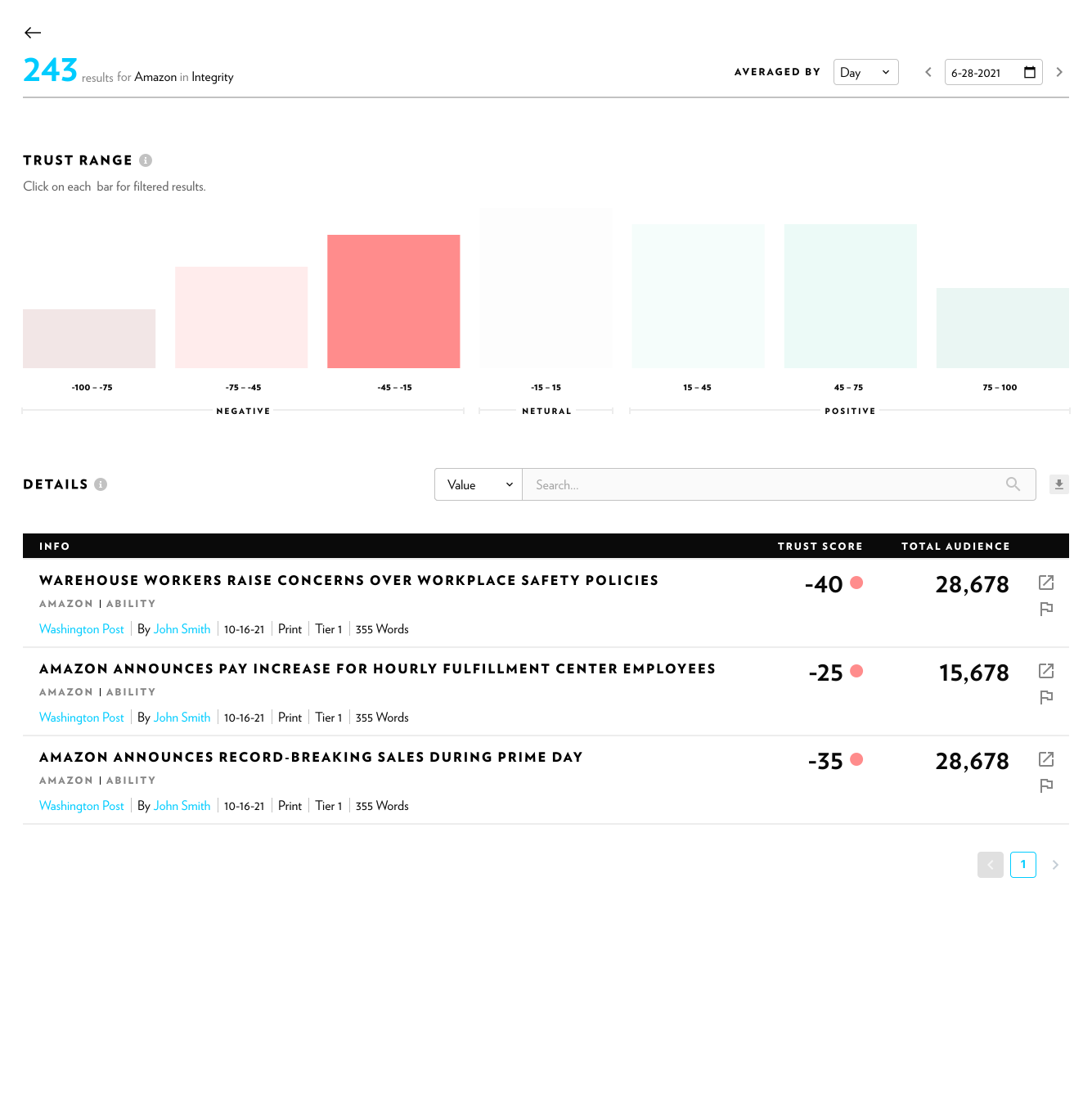
Finally, each bar is interactive—when clicked, it filters the table results, enabling users to easily narrow down and focus on the most relevant articles.
“Your designs are underway and are looking great in the application; super happy with the work.”
— Jonathan Miers, Senior Vice President, Product

As my role was contract-based, I wasn’t directly involved in collecting user feedback. However, within the DxI team, the design was well received and valued, leading to continued contributions to additional modules of the Trust Platform.
06 / Reflect
Key Learnings

Avoid Cramming in Every Metric
Start with purpose. Define the key question your dashboard answers and the decisions it should enable.

Clarity Over Decoration
Follow the “data ink ratio” principle by removing visual noise. Functionality should always take precedence over flashiness.
Pick the Right Chart
Different chart types serve different analytical purposes. Selecting the appropriate visualization based on the data structure and user intent is critical to making patterns, comparisons, and insights immediately understandable.