

01 / Overview
The Platform
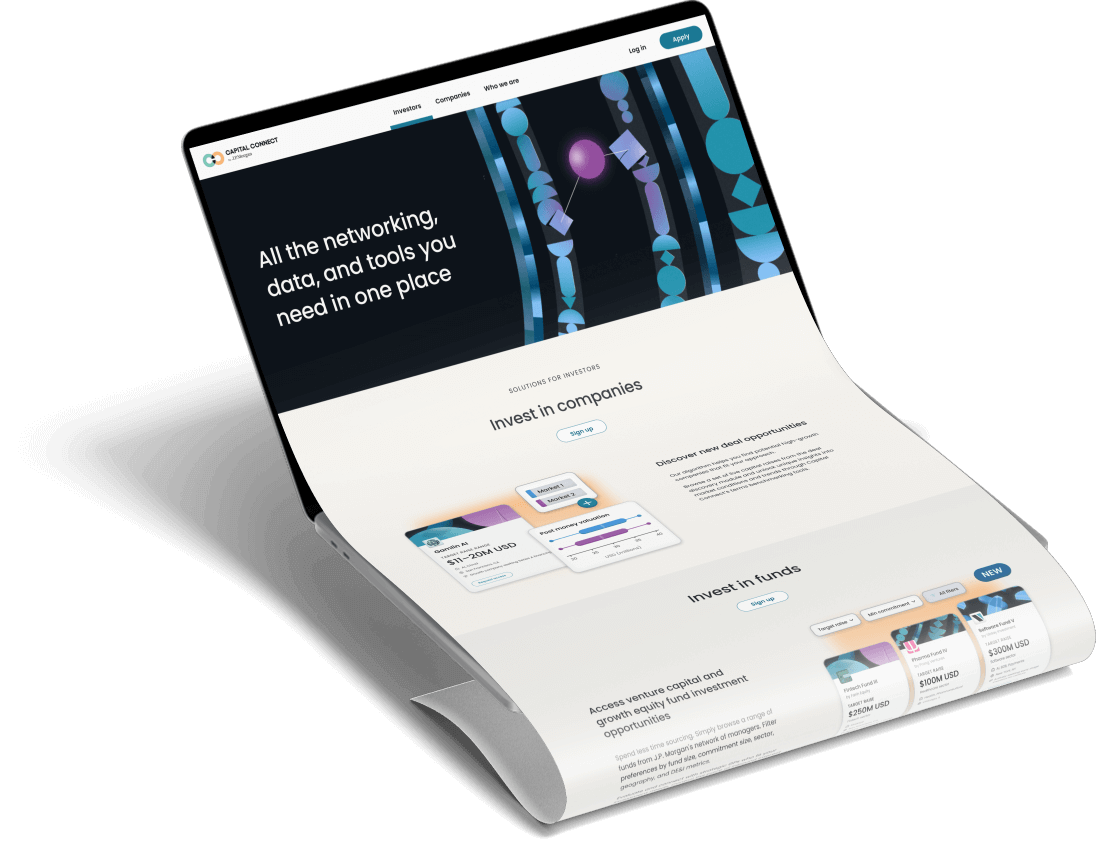
Capital Connect is a digital platform developed by J.P. Morgan aimed at connecting investors and companies, offering seamless capital-raising and investment solutions. It provides users with a range of tools for finding investors, accessing proprietary market data, managing investor relationships, and more.
02 / Problems
Challenges
Companies, especially early-stage firms, struggle with finding investors efficiently, managing cap tables, and accessing actionable data to make informed decisions. On the investor side, there’s often a lack of accessible, intuitive tools to evaluate opportunities or benchmark performance across markets.
Personas
Based on research, we developed three key personas on the platform:

Julia
Founder/CEO
Core Need: To fundraise efficiently without it becoming a second full-time job.
Key Pain Points: Wasting time targeting the wrong investors; manually consolidating data, personalizing data rooms, and tracking engagement across scattered tools; being pulled away from running the company by a complex, repetitive, and compliance-heavy fundraising process.

Jay
Investor (GP)
Core Need: To manage more deals with less manual work and focus on judgment, not administration.
Key Pain Points: No single tool for tracking, research, and communication; inefficient manual deal management (tagging, follow-ups, file storage); slow, scattered online research; and weak network insights that hinder finding reliable warm introductions.

Leslie
Limited Partner (LP)
Core Need: To get transparent, reliable insights for confident decisions in an opaque, relationship-driven market.
Key Pain Points: Lacking timely access to opportunities and benchmark data; high due diligence burden for evaluating emerging managers; over-reliance on personal networks for access; and difficulty systematically comparing and tracking fund performance.
02 / Define
Design Direction
As a Lead Product Designer at Capital Connect, I oversaw the user experience for platform features like Profiles, Networking, Data Room, and Settings. This case study focuses on two major initiatives I led—Networking and Data Room. In both projects, I collaborated closely with cross-functional teams to ensure the design met user needs and business objectives.
Networking
Facilitate meaningful two-way connections between startups and investors based on shared interests and investment criteria.
Data Room
Enable founders to securely share confidential documents with potential investors during fundraising.
03 / Developed Feature 1
Networking
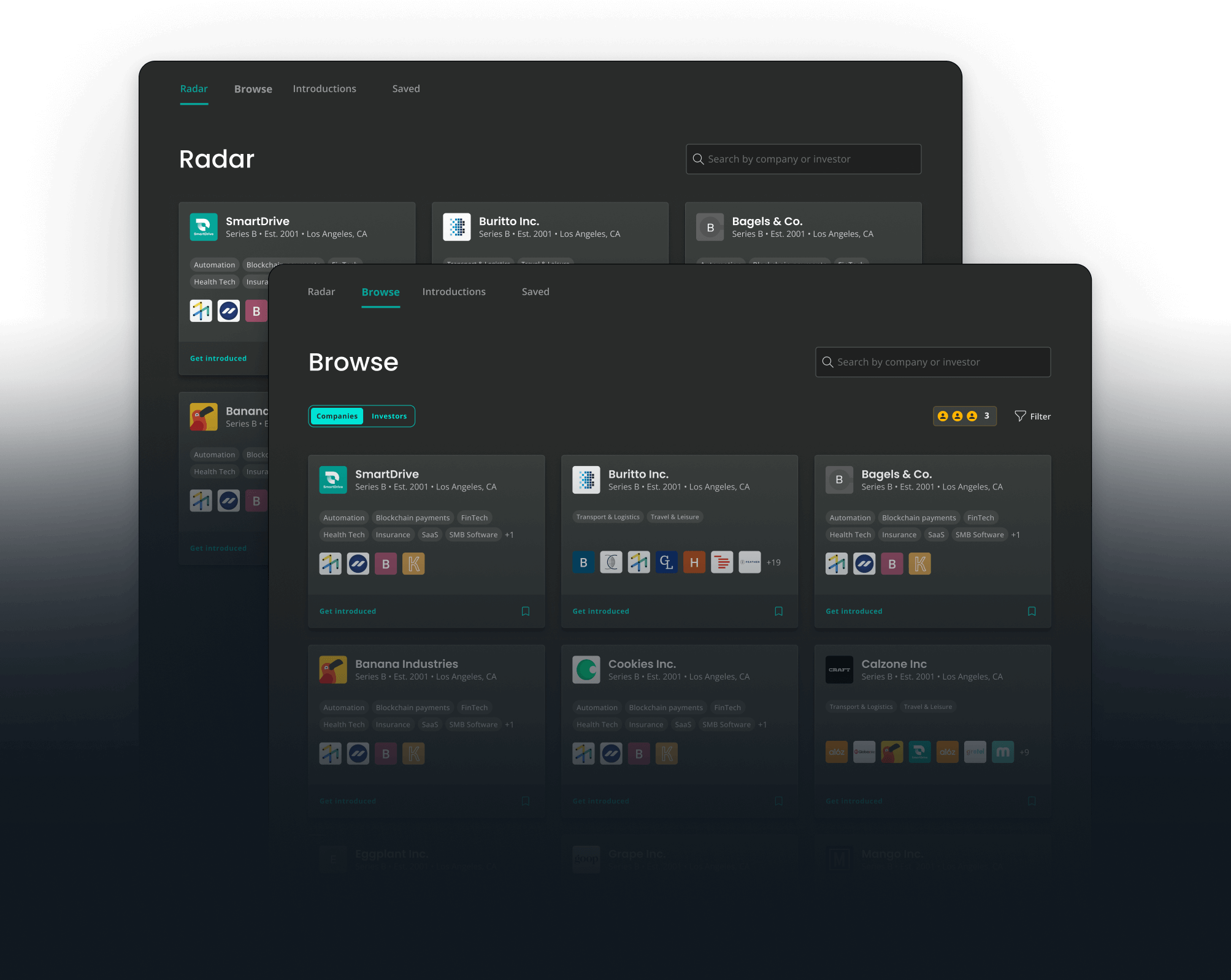
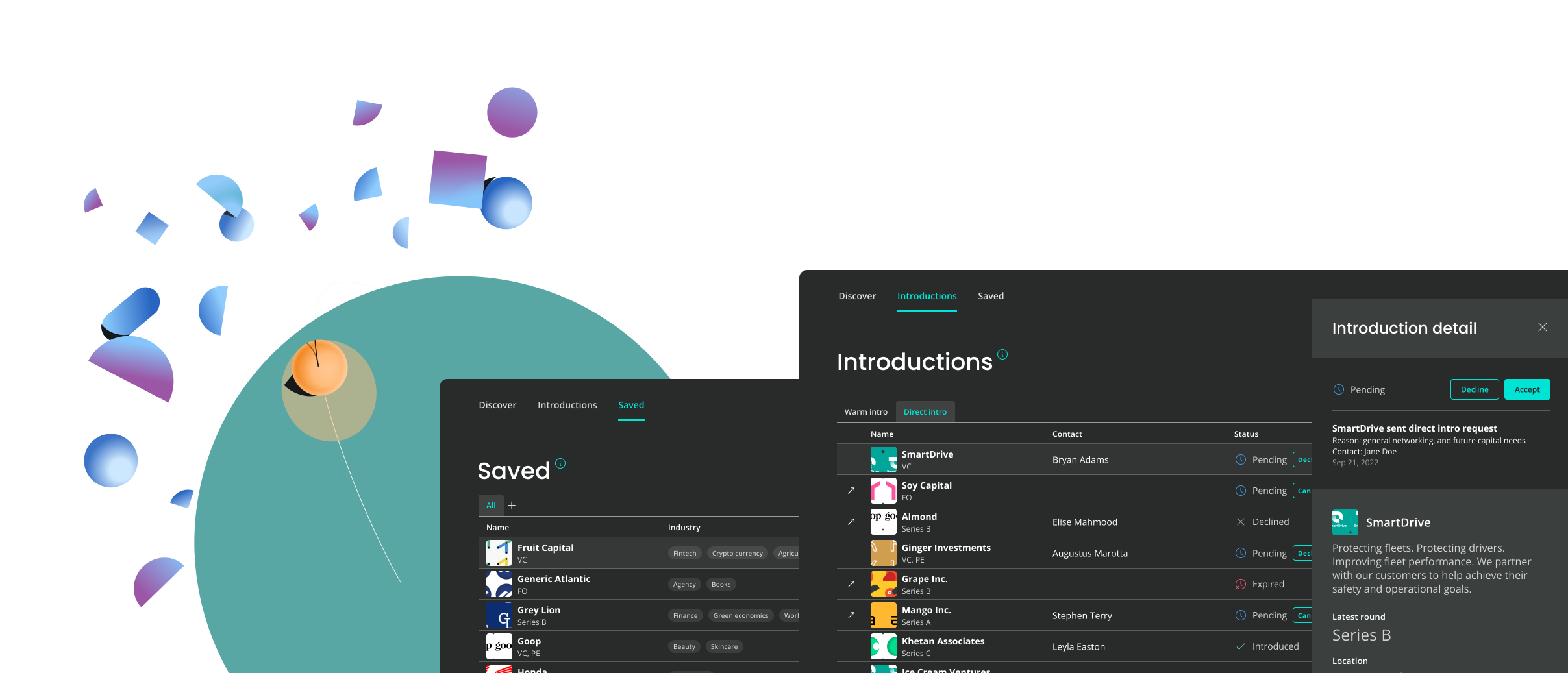
The feature is designed to facilitate meaningful, two-way connections between startups and investors, allowing both parties to discover each other based on shared interests, investment criteria, and network overlaps.
Pain Points
When I joined the team as Lead Designer, I inherited a set of known usability challenges surfaced through user research and stakeholder feedback. Our goal was to address these pain points while improving the overall experience of discovering and connecting with relevant people on the platform.

Limited Data
Information displayed on entity cards in the is too sparse, making it difficult to evaluate and make informed decisions about potential connections.

Inconsistent Information Density
Varying amount of data on different cards leads to a disjointed and visually imbalanced interface.

Separation of Radar & Browse
Splitting the recommended and regular cards into two separate tabs causes unnecessary friction and confusion for users. The separation disrupts the flow and ease of discovery.
Solutions
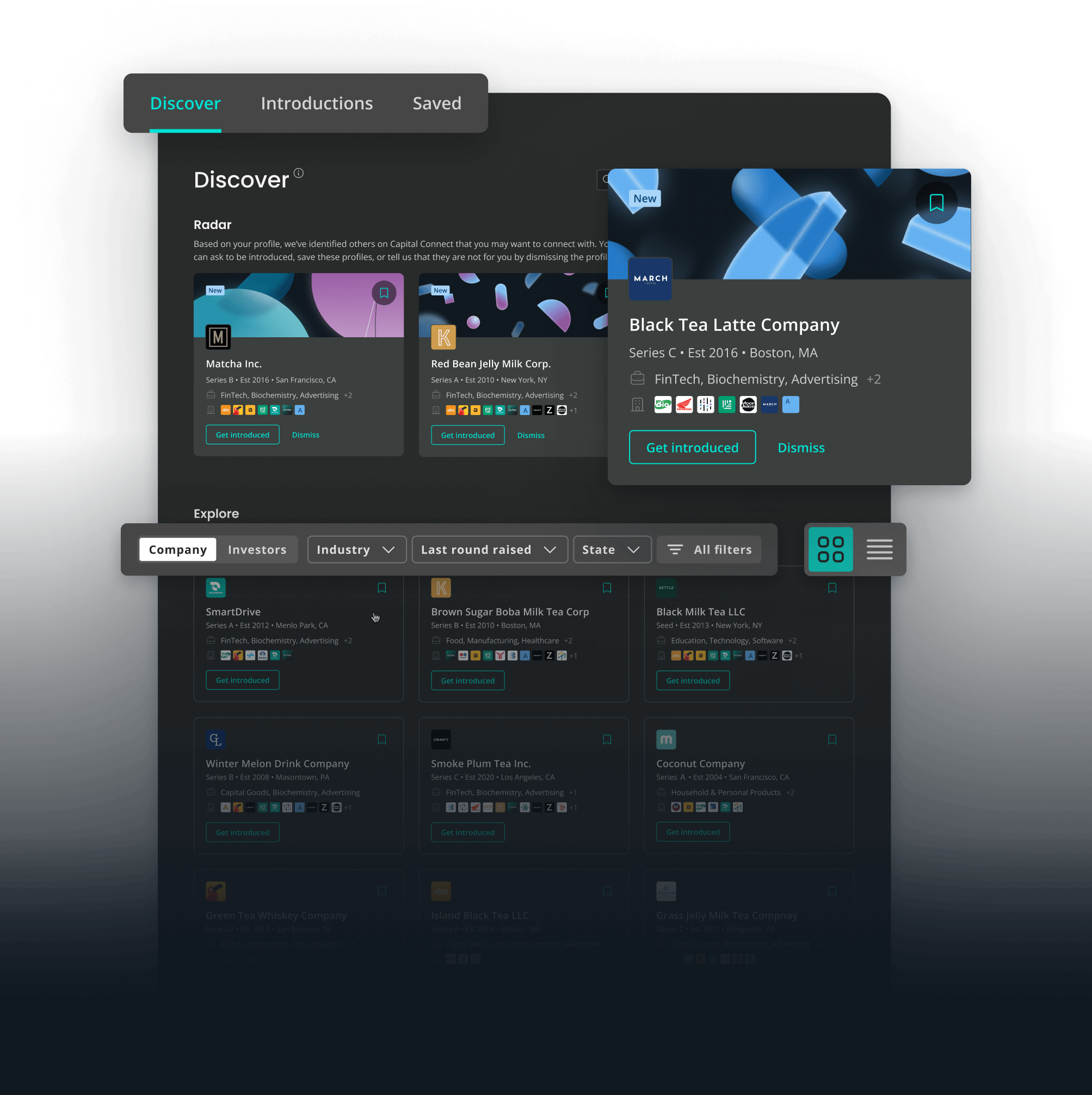
1 | Visual Differentiation of Cards. Makes it easier for users to quickly identify high-priority recommendations while maintaining a consistent browsing experience.
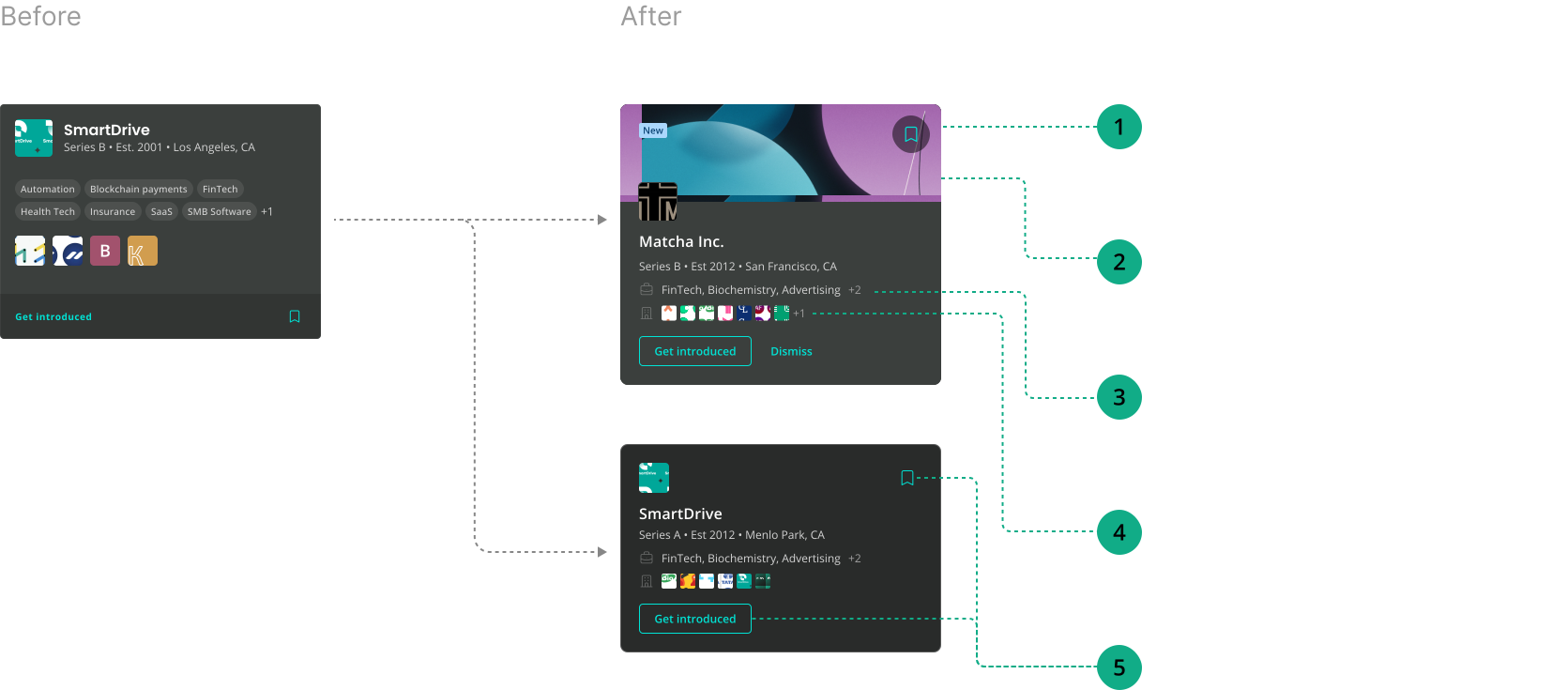
2 | Unified Discover Tab
Streamlines the exploration process, reducing user friction and confusion by offering a cohesive space for browsing both recommended and regular cards.
3 | Quick Filters
Allows users to easily narrow down their preferences and quickly sort through relevant cards, improving efficiency and personalization in the discovery process.
4 | View Toggle
Enables users to switch between grid and list views. This flexibility accommodates different user preferences and use cases, improving the overall browsing experience.
Results
30%
Increase in Card Engagement
Rise in user interactions with entity cards, showing the unified Discover tab and visual differentiation are making it easier for users to engage.
50%
Higher Filter Usage Rate
Of users regularly utilizing the quick filters, showing this feature makes it easier for users to personalize their searches.
20%
Balanced Information Density
Improvement in user feedback scores related to interface clarity and ease of use.
03 / Developed Feature 2
Data Room
Data Room allows founders to securely share confidential documents with potential investors during fundraising. It was my second major project at J.P. Morgan, undertaken after successfully shipping the Networking redesign.
Pain Points
Through client feedback and competitive analysis, we identified key gaps between our existing data room implementation and the expectations users have for a modern virtual data room (VDR). These limitations resulted in users relying heavily on the Capital Connect execution team for support, frequent abandonment in favor of industry-standard VDR solutions, and a steady influx of complex support cases. Our goal was to close these gaps by delivering a seamless, self-serve data room experience that meets or exceeds industry standards.
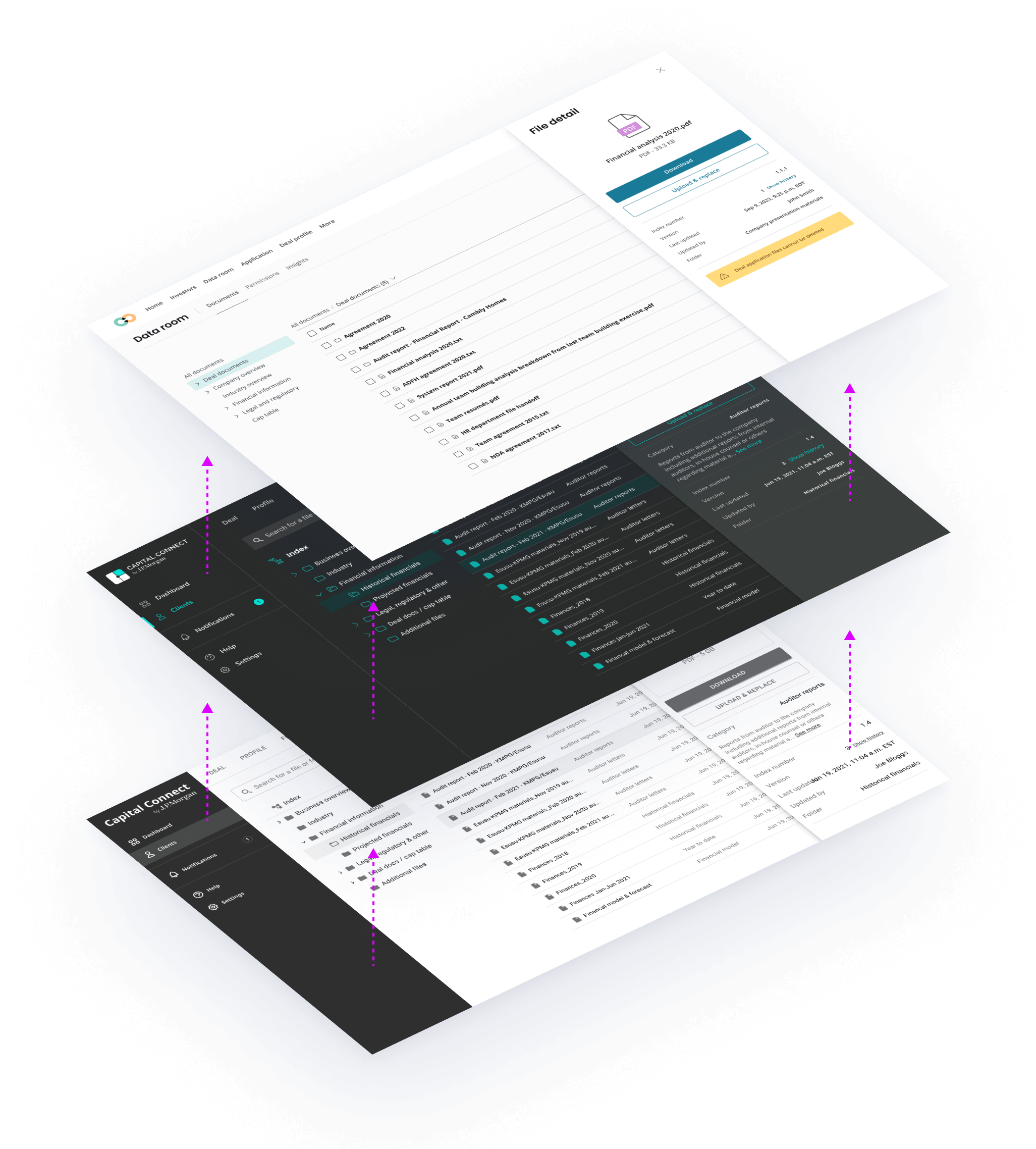

Fragmented File Upload & Management
The lack of batch actions, progress indicators, and flexible organization tools hindered users’ ability to organize and upload documents efficiently and confidently.

Complicated Permissions Management
Clients find it difficult to add investors and effectively manage permissions within Data room, which further complicates their capital-raising process.
After identifying the issues, we started by creating solution wireframes for stakeholder review. My associate and I then developed high-fidelity prototypes for user interviews and usability testing. This hands-on approach generated direct, actionable feedback from end-users, which informed each design iteration.
Solution — Enhanced File Management
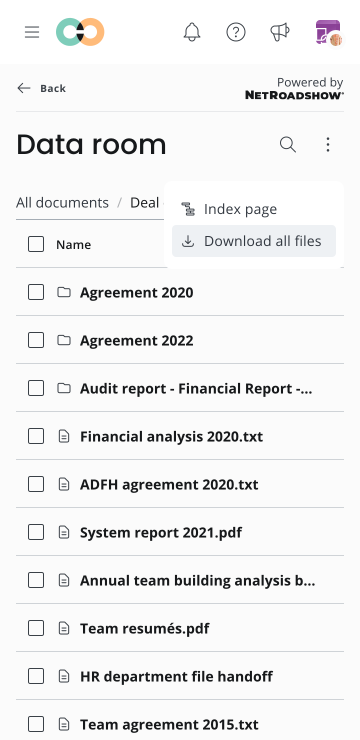
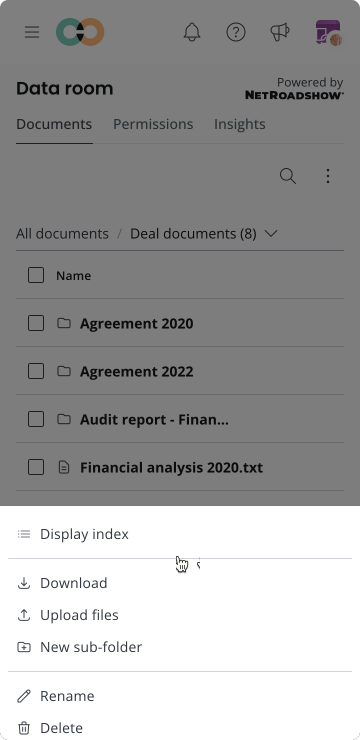
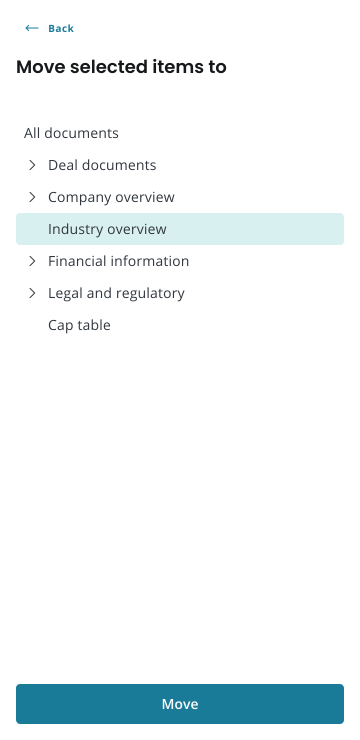
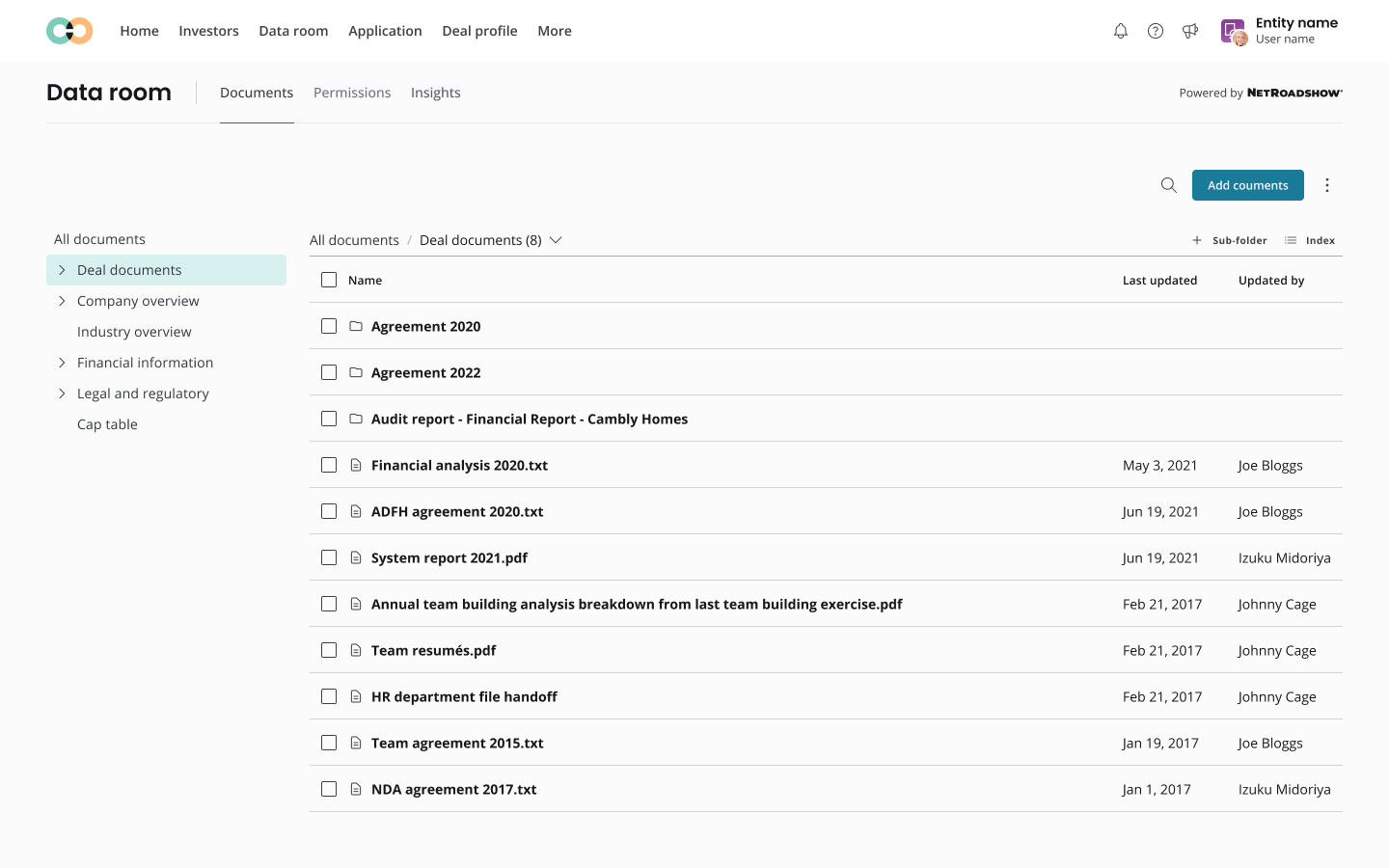
The Upload button was moved to a more prominent position on the page, making it easier for users to locate and initiate uploads, while secondary actions were consolidated into a kebab menu to reduce visual clutter.
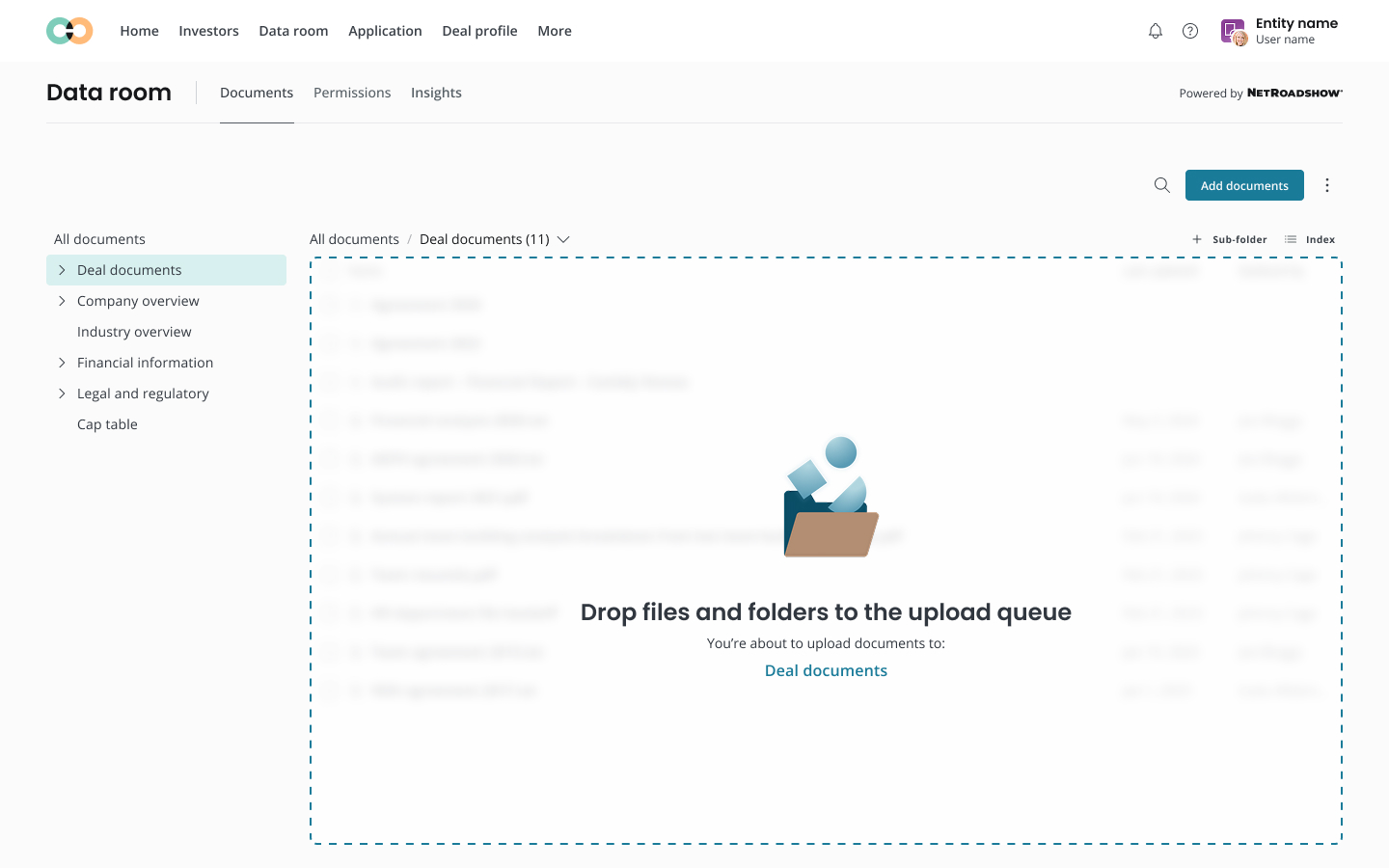
The re-designed system supports drag-and-drop functionality for uploading new documents, improving efficiency by allowing users to maintain their existing folder structure during the upload process.
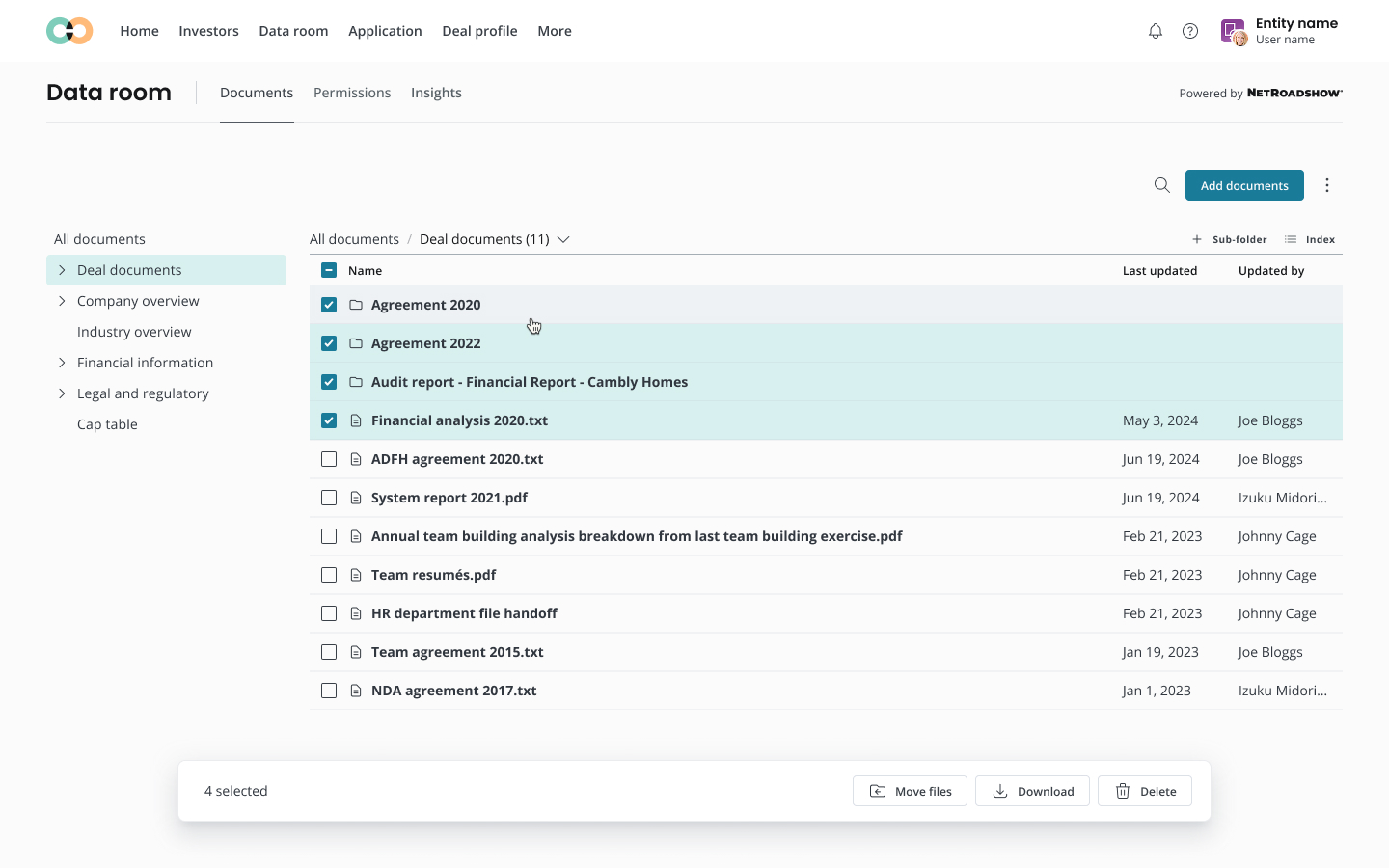
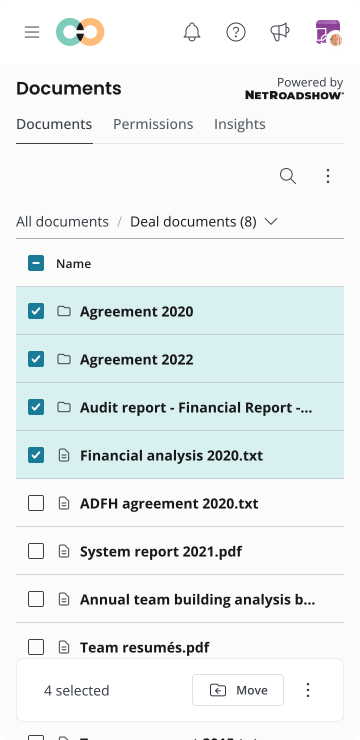
The bulk action bar was redesigned to be less intrusive and more intuitive, helping users efficiently manage multiple files.
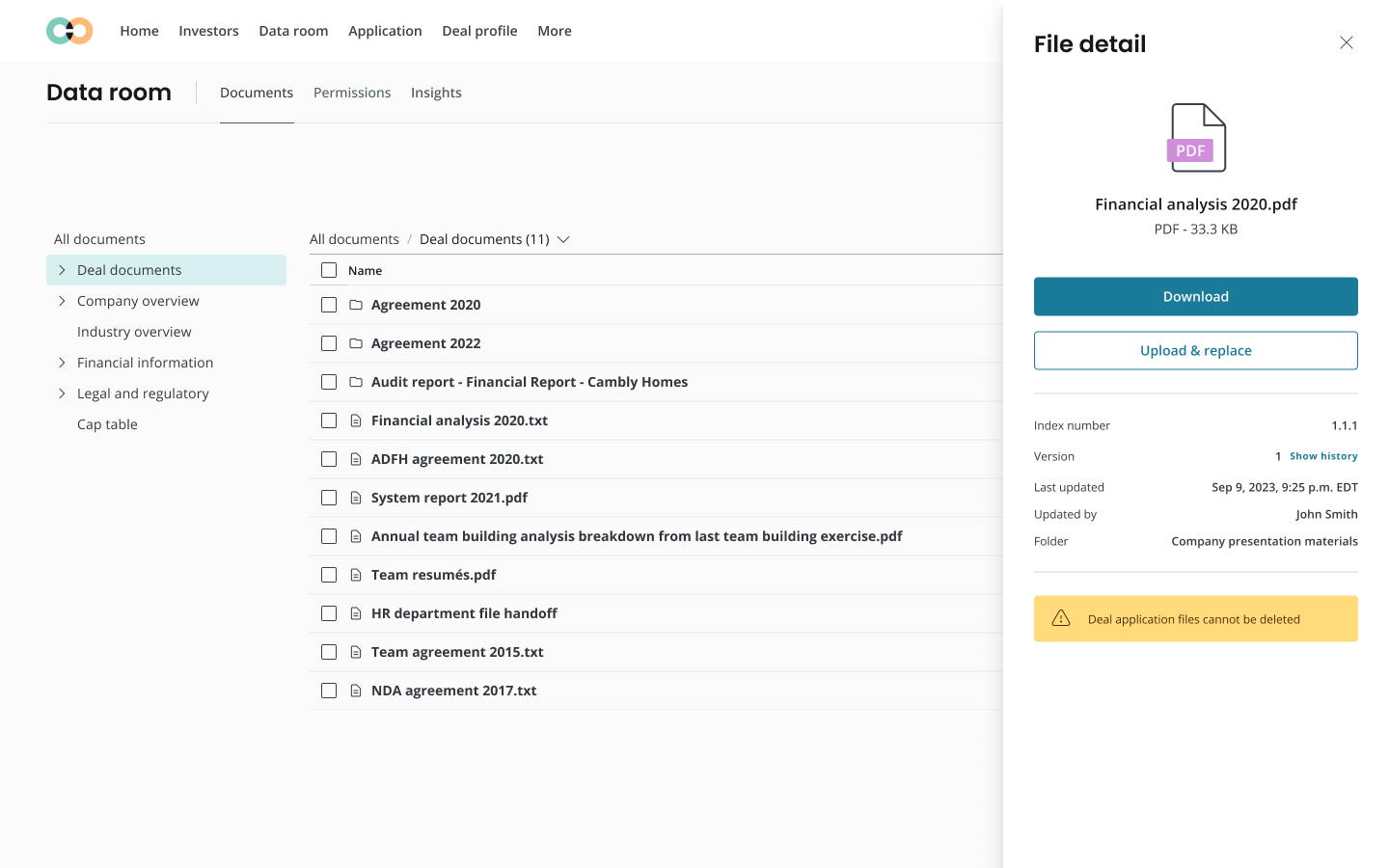
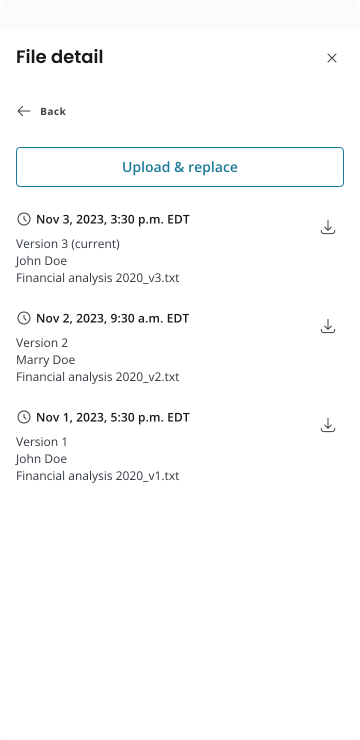
The file detail panel received a visual overhaul, ensuring a consistent and coherent design that aligns with the platform’s overall pattern, making it easier for users to view and interact with file details.
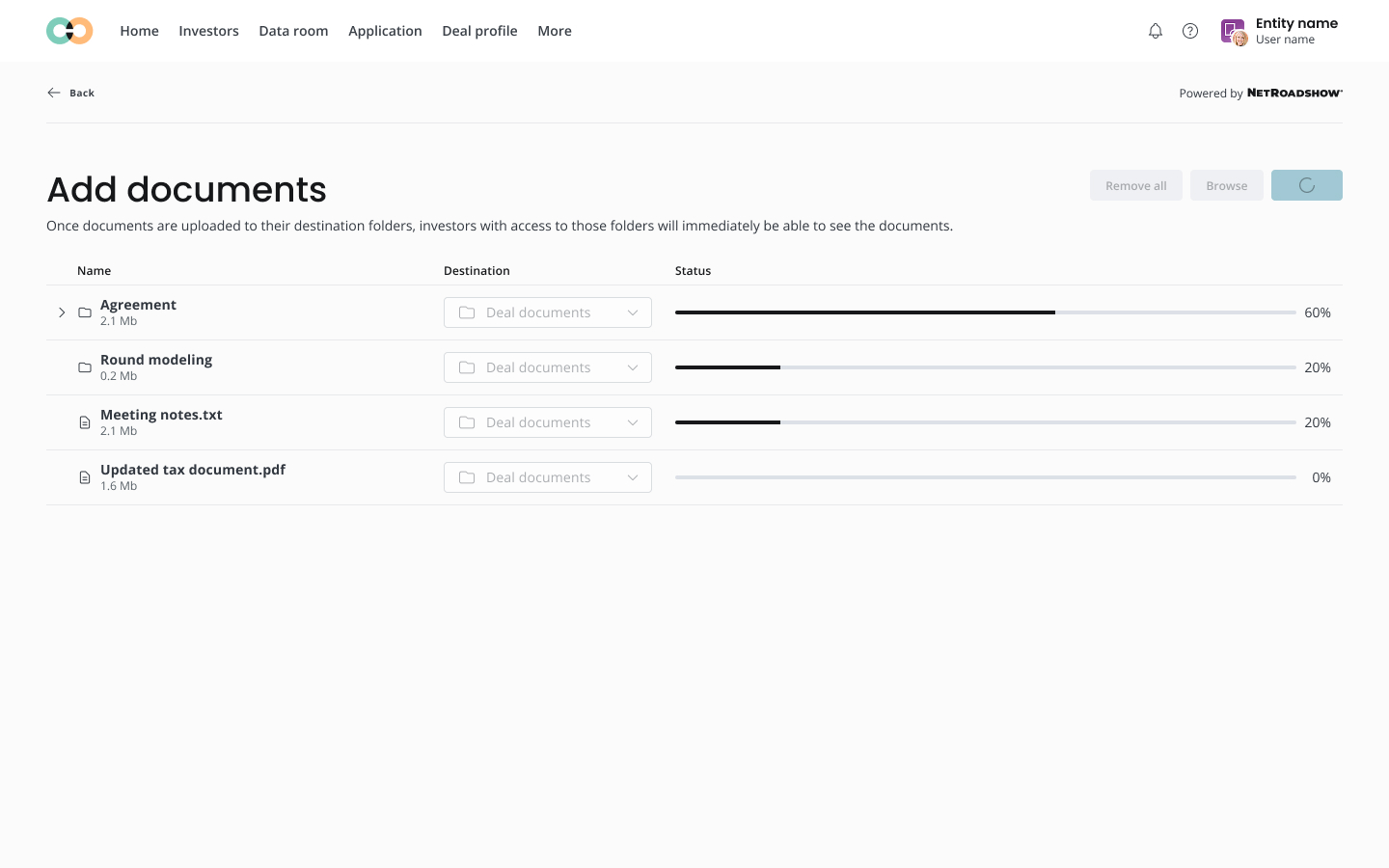
Lastly, a clear visual indentation was added to distinguish between parent folders and child items when expanded, ensuring the folder structure is easy to navigate and visually organized.
Solutions — Enhanced Access Control
To solve the issues around user access control in the Data Room, we designed a dedicated Permissions page under the Data Room section.

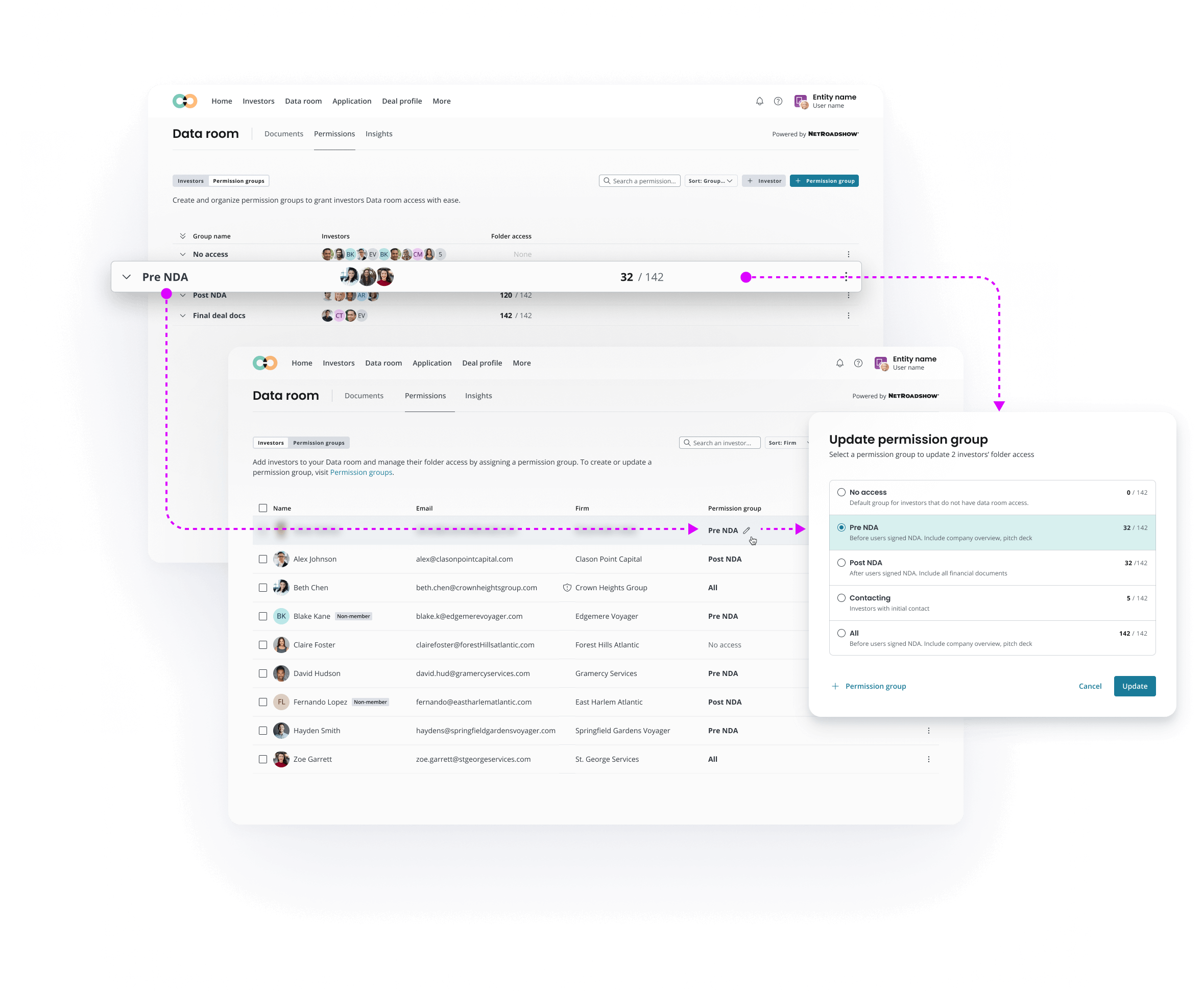
This page is divided into two key areas: Investors and Permission Groups. The Investors section allows clients to manage investors invited to the data room, providing clear visibility and control over who has what access.
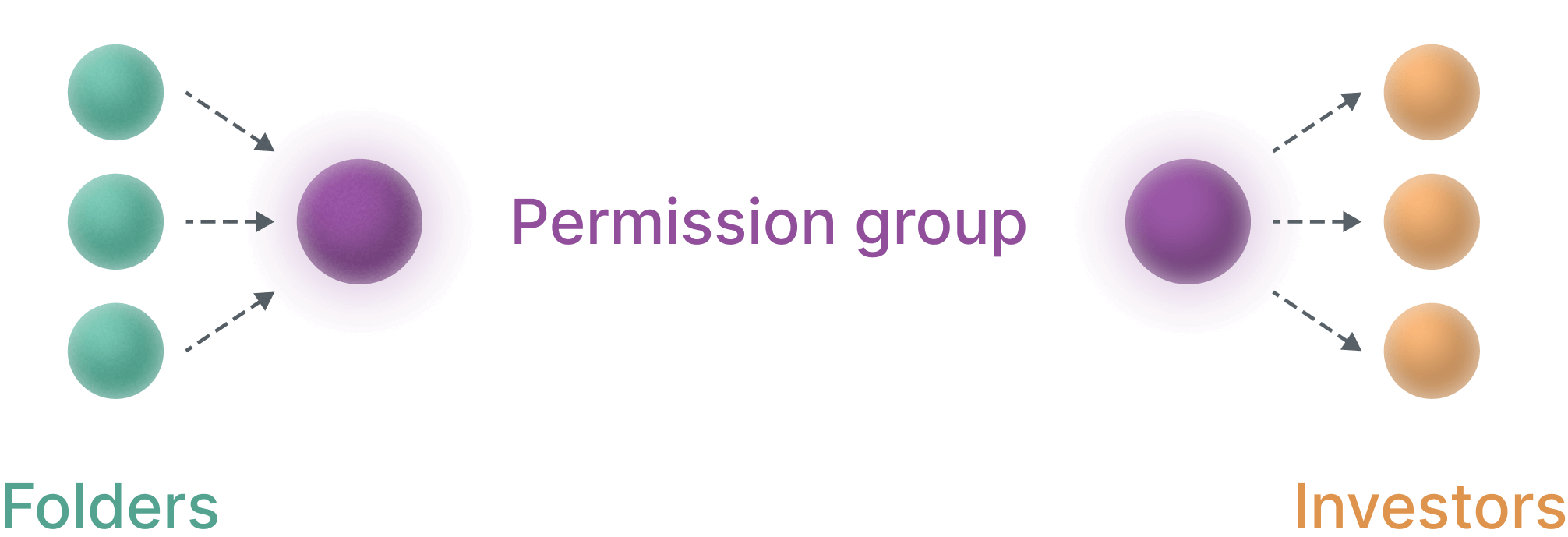
In the Permission Groups section, clients can quickly create different levels of folder access, and assign to investor faster and more efficiently while reducing errors.
Results
These enhancements collectively bring the Data Room closer to industry standards, offering a smoother, more efficient user experience.
30%
Reduction
In user-reported issues, such as file upload errors or permission management problems.
40%
Increase
In the number of users actively using advanced features like drag-and-drop uploads and permission groups.
50%
Decrease
In support tickets related to data room functionality.
04 / Best Practice
Component Management.
In order to build a sustainable underlying structure with Figma, platform-wide Global components have been audited and rigorously used to feed into the feature-specific libary, and both global and lcoal libraries serve the production files for consistency across designs. Throughout the exploration of new features, I work within isolated branches. This disciplined approach ensures the main file remains the single source of truth, accurately reflecting the live product.
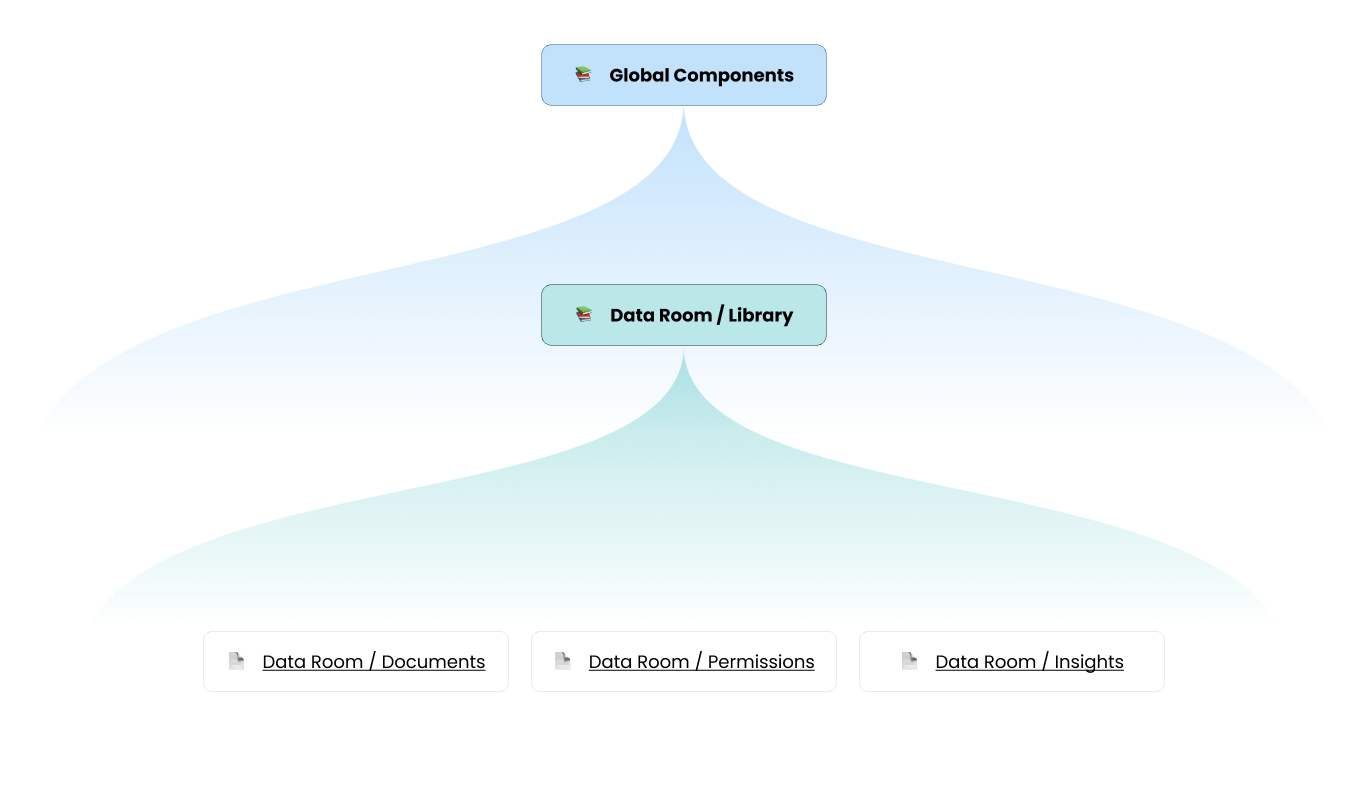
Library hierarchy
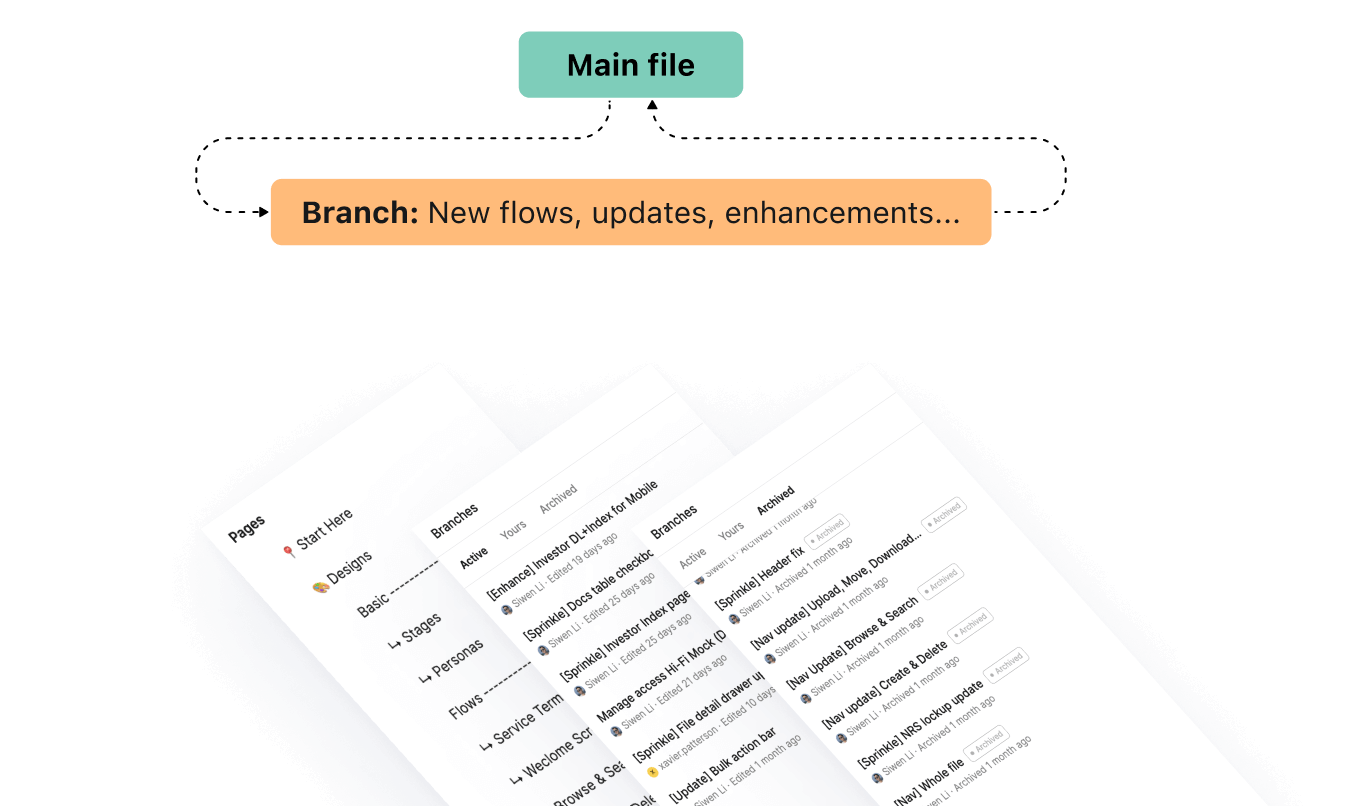
Main file VS. Branch
Consistency
I advocated for specific design needs by identifying where our existing system required enhancements to support unique feature functionalities. By proposing adjustments, I collaborated with other designers to ensure our design system remained scalable and flexible for both user and business requirements.
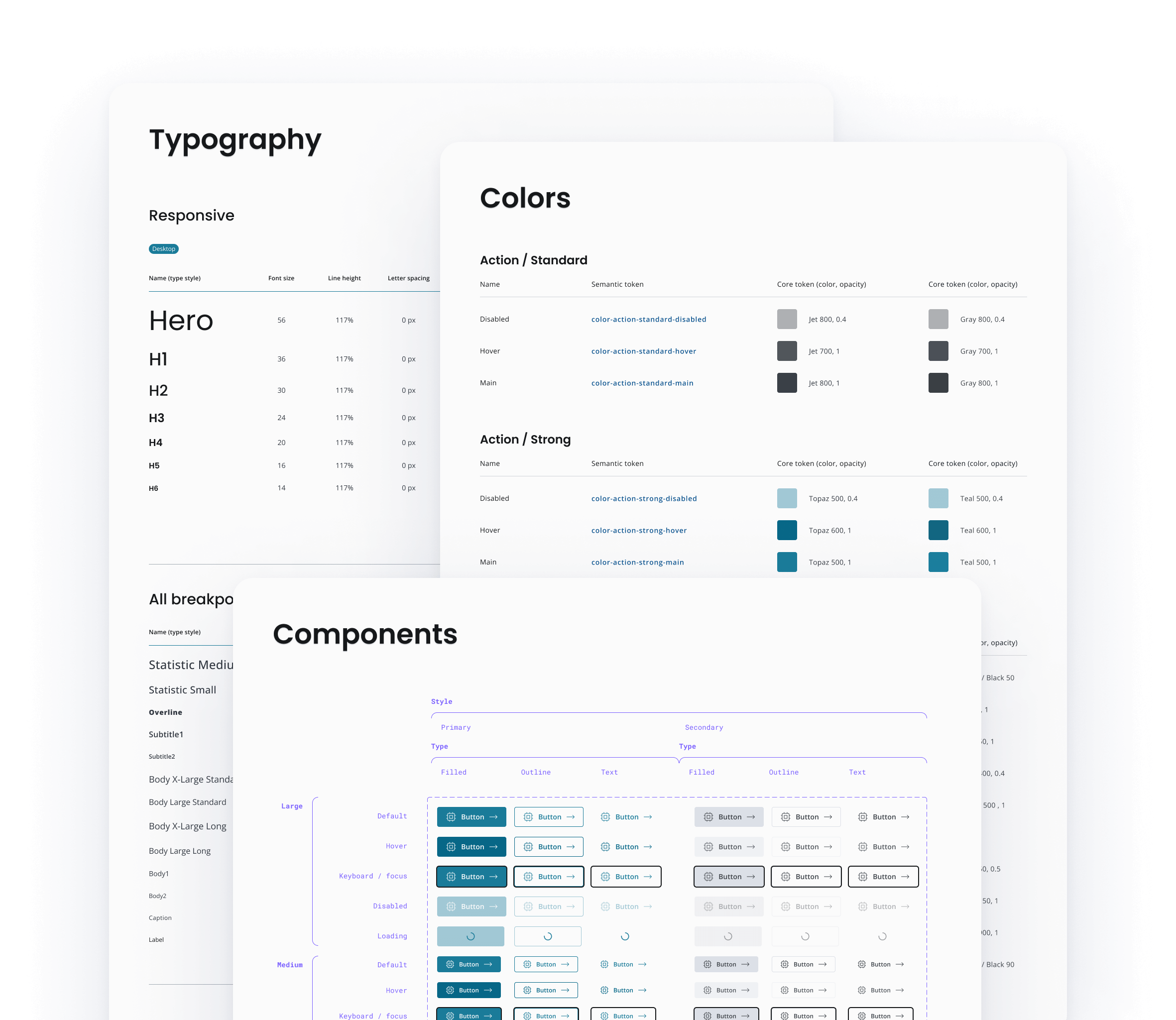
Local Components and Patterns
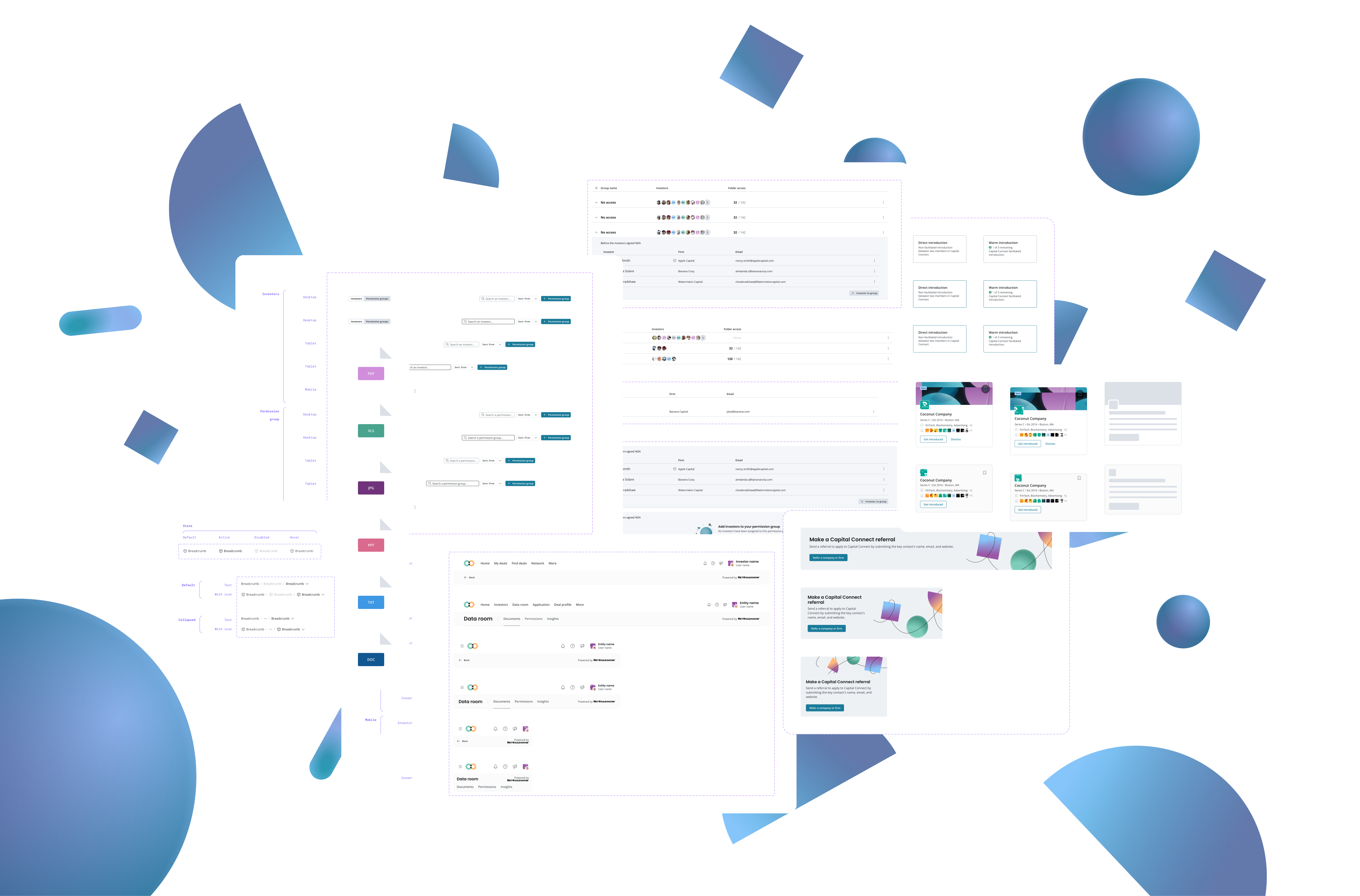
My strategy is to consistently build a feature-specific local component library, designed to work in tandem with our platform-wide global system. This integrated library then serves as the foundation for all production files, guaranteeing design consistency. Especially after the introduction of variables in Figma, proper setup of local components has boosted productivity tremendously.
05 / Deliver
Reflections & Growth
Every project is a learning opportunity. Here’s what this experience taught me about designing for enterprise fintech products and what I’d approach differently next time.
What Went Well
Early and frequent user testing caught major usability issues before engineering investment. Testing the networking redesign with 8 users in low-fidelity saved us from shipping a confusing navigation structure.
Building design system foundations first paid dividends. Though it felt slow initially, having solid components meant we could iterate on features 3x faster in later phases.
Regular engineering collaboration during design prevented technical surprises. Weekly design-eng sync meetings meant we designed within technical constraints rather than discovering them at handoff.
What I’d Do Differently
Push harder for quantitative success metrics upfront. We defined them mid-project, which made it harder to prove impact. I’d now establish clear metrics in the discovery phase.
Involve compliance earlier in the design process. We had to redesign parts of the Data Room access controls late because of regulatory requirements we discovered too late.
Document design decisions in real-time, not retrospectively. I spent weeks recreating the ‘why’ behind decisions for stakeholder presentations. A lightweight decision log would have saved significant time.
Key Takeaways
Enterprise users need more context, not less. Every feature that added contextual information (who has access, when was this last updated, why was this recommended) improved usability scores.
Financial services users trust structured experiences. Free-form interfaces that worked in consumer testing failed with institutional users who valued consistency and predictability.

Design systems are living products. Treating the component library as a product with its own roadmap and feedback loops led to 85% adoption by other product teams.